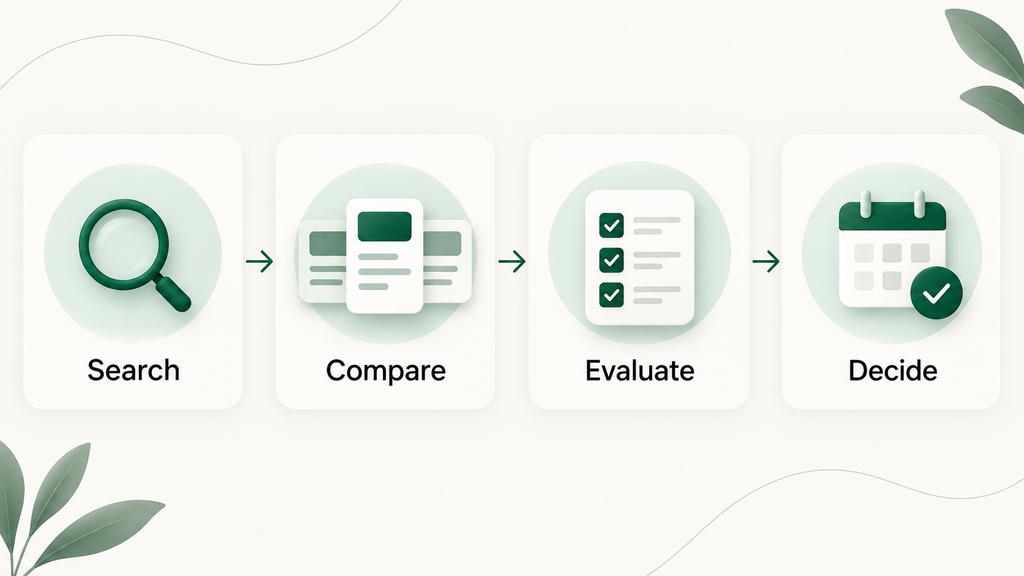
B2B SaaS comparison pages help buyers judge products before they book a demo, start a trial, or ask for approval. At that stage, they do not need another broad product pitch. They need clear differences, honest tradeoffs, and a simple answer to one question: which option fits us best?
Many comparison pages fail because they hide a competitor’s strengths, list features without context, or make claims the reader cannot verify. The result feels biased and leaves the buyer with more research to do.
This guide shows you how to create comparison content that supports product evaluation without losing trust. You will learn which page format to choose, what criteria buyers need, how to write a fair verdict, and how to structure each section for Google, AI Overviews, ChatGPT, Perplexity, and the people making the purchase decision.
Table of Contents
What Is a B2B SaaS Comparison Page?
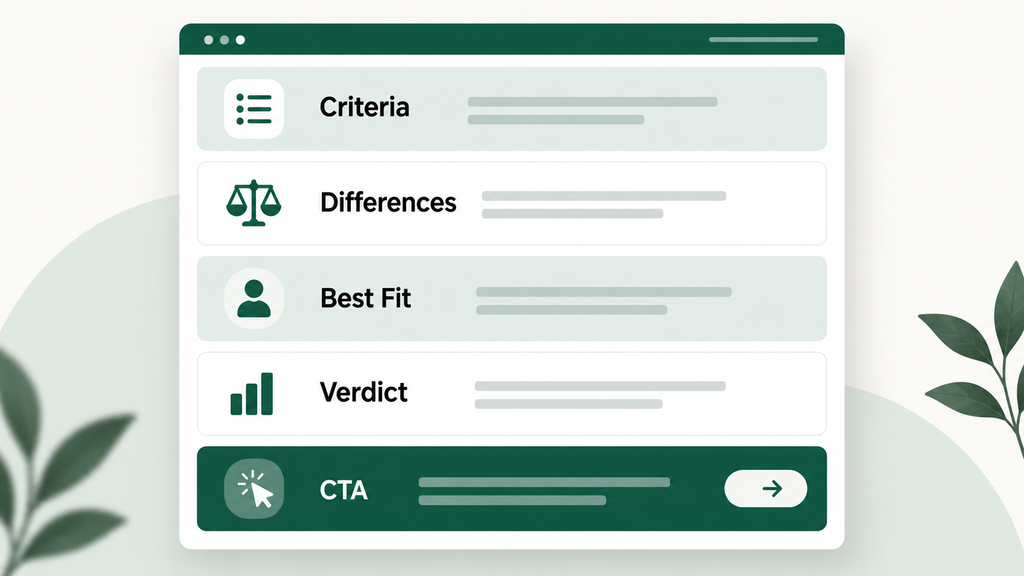
A B2B SaaS comparison page is decision-stage content that compares software products, categories, or alternatives using criteria that matter to a defined buyer. It explains meaningful differences, product fit, tradeoffs, and the best choice by use case. A useful page helps the reader decide. It does not stop at a feature list.
The format should match the buyer’s question:
- Product comparison page: Compares two named products, often for an “A vs B” search. The buyer has a shortlist and wants a direct verdict.
- Competitor comparison page: Compares your product with one competitor. It should explain where each product fits, not build a table designed for your product to win every row.
- Alternative page: Answers searches such as “Product A alternatives.” The buyer may be replacing a tool or building a broader shortlist.
- Category comparison page: Compares several tools in one software category. It helps buyers who know the type of product they need but have not chosen finalists.
A feature list answers “what does each product have?” A comparison answers “which difference matters for my team?” If both tools offer reporting, compare the dashboard, export, and data-source options that affect the buyer’s workflow.
That focus on decision criteria is also consistent with Google’s guidance for high-quality reviews, which recommends covering comparable options, benefits, drawbacks, and the factors that matter most to users.
Why B2B SaaS Comparison Pages Attract High-Intent Buyers
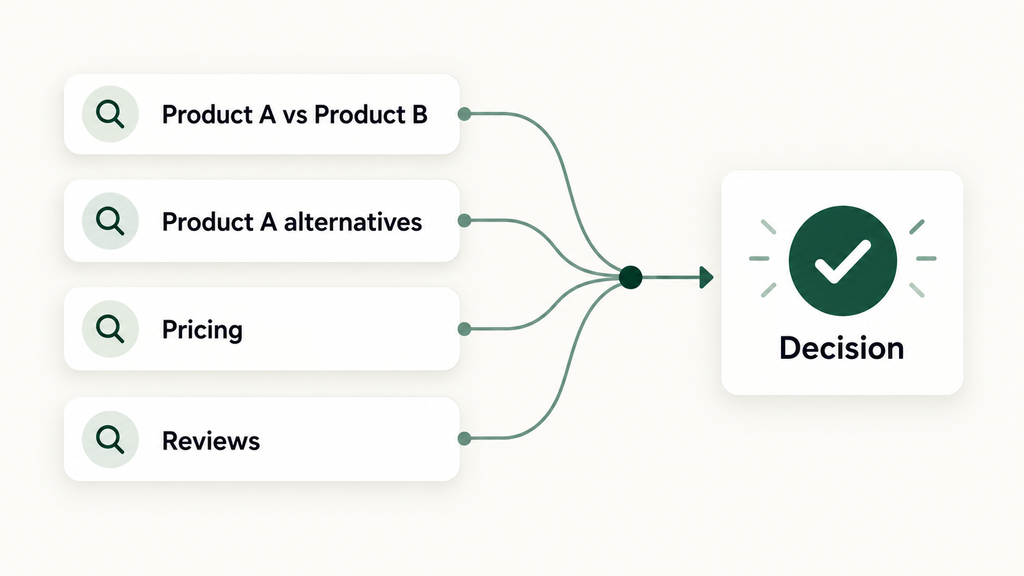
B2B SaaS comparison pages attract high-intent buyers because their searches show active product evaluation. Queries such as “A vs B,” “A alternatives,” “A pricing,” and “A reviews” suggest that the buyer knows the category or vendor and is gathering the facts needed to build a shortlist or make a final choice.
The query often reveals the buyer’s next task:
- “Product A vs Product B” means the buyer is comparing finalists.
- “Product A alternatives” means the buyer wants other options or may be unhappy with the current tool.
- “Product A pricing” means cost, packaging, or value has become a decision factor.
- “Product A reviews” means the buyer wants outside proof and possible drawbacks.
- “Product A integrations” means the buyer is checking workflow fit or technical requirements.
These visitors may be closer to a demo or trial than someone reading a broad guide. They may still need security details, procurement approval, migration answers, or team agreement.
Give the buyer a quick verdict, then support it with criteria, evidence, use cases, limitations, and a clear next step. The page should help even when your product is not the best fit.
For a working example, see this self-led Notion vs Asana SaaS comparison, which separates workflow fit from a simple feature count.
What Buyers Need Before They Trust a Comparison
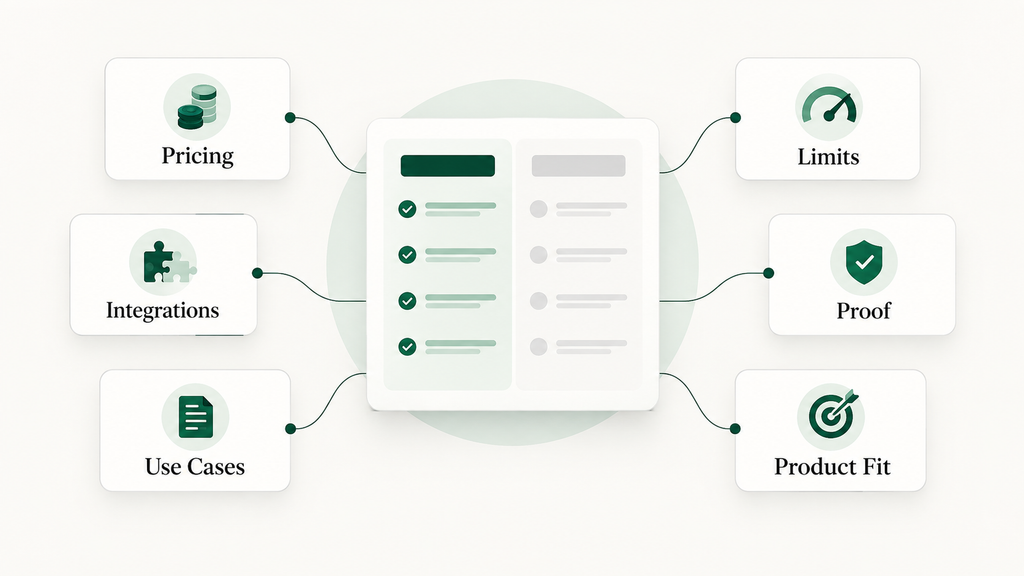
Buyers trust a comparison when they can see the criteria, verify important claims, and understand where each product fits. They need more than checkmarks. A trustworthy page explains pricing context, integrations, use cases, limits, implementation, support, ideal customer, and the evidence behind each meaningful difference.
Start with the criteria that can change the decision:
- Pricing: State what is public, what needs a quote, and what changes by seats, usage, features, or contract length.
- Integrations: Name the systems that matter to the target workflow. A large count does not prove fit.
- Use cases: Connect capabilities to real jobs, such as managing a content calendar, routing support tickets, or reporting on account health.
- Limitations: Explain missing capabilities, plan limits, setup demands, or cases where another product fits better.
- Implementation: Cover migration, data import, training, permissions, and setup needs.
- Support: Compare channels, hours, onboarding help, and plan restrictions using current sources.
- Ideal customer: Name the team size, maturity, workflow, or priority that makes each tool a stronger choice.
| Weak comparison content | Trustworthy comparison content |
|---|---|
| “Our platform is easier.” | Explains which setup tasks are simpler, for whom, and based on what evidence. |
| A table built only around your strongest features | A short table based on criteria buyers use in sales calls, reviews, and product research. |
| Hides the competitor’s strongest use case | States when the competitor may fit better and why. |
| Uses “affordable” without pricing context | Shows public plan details, pricing model, date checked, and possible extra costs. |
| Calls one tool “best for everyone” | Gives a verdict by team, workflow, need, or constraint. |
If you hide a clear competitor strength, the rest becomes harder to trust. Buyers will check product pages, documentation, review sites, sales calls, and AI tools.
How to Write a B2B SaaS Comparison Page
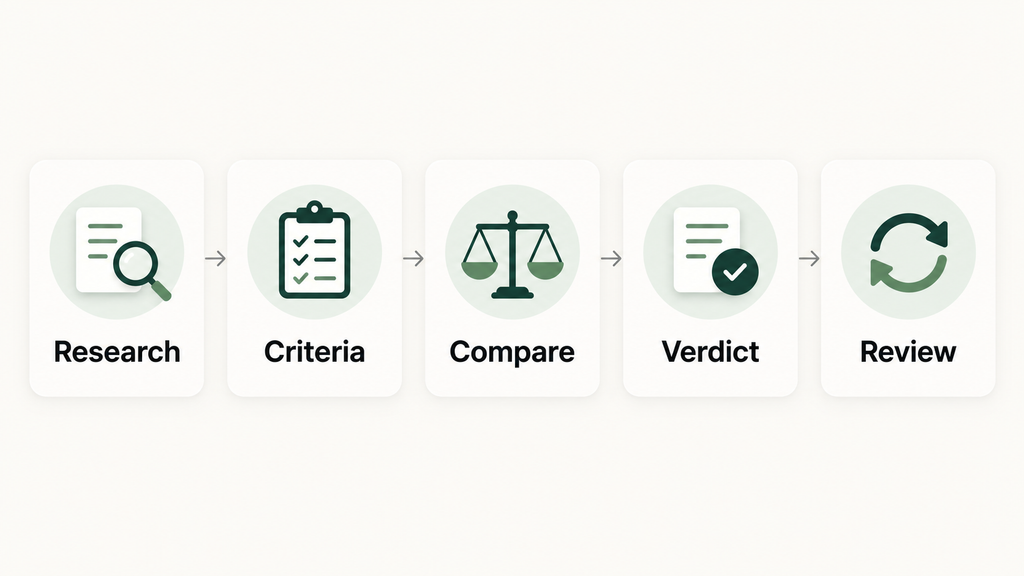
To write a B2B SaaS comparison page, define the buyer and decision stage, research the criteria behind the choice, compare products through a fair structure, explain practical differences, and end with a verdict by use case. Then verify every claim and assign an owner to keep the page current.
- Identify the real buyer and decision stage.Name the role, company type, team size, and buying situation. A founder choosing a first tool needs different detail from an operations team replacing one.
- Research the criteria buyers use.Review sales notes, win-loss findings, customer questions, support tickets, pricing pages, product documents, and review themes. Verify product claims through official sources.
- Choose a fair comparison structure.Start with a quick verdict. Add a focused table, decision criteria, use-case fit, limits, implementation points, and FAQs. Match the structure to the query.
- Explain meaningful differences.Do not write “Product A has automation.” Explain what it automates, which plans include it, and what that means for the target team.
- State who each product suits.Use specific guidance: “Choose Product A if your content team needs docs and project work in one flexible space. Choose Product B if leadership needs structured workload reporting across many projects.”
- Write an honest verdict.The verdict should name the main tradeoff and help the reader self-select. Avoid calling one product the winner without a defined buyer, use case, or constraint.
- Add FAQs based on real buyer questions.Answer switching, pricing, setup, integration, contract, data, and support questions that may block the next step. Keep each answer direct enough to stand alone.
- Review and update the page regularly.Record the sources and date checked. Recheck pricing, plans, features, integrations, screenshots, claims, and links after major product changes or on a set review schedule.
Clear answer blocks, defined entities, tables, and FAQs also make the page easier to interpret across search and answer tools. My guide to AEO content for SaaS explains this answer-first structure in more detail.
Weak vs Strong SaaS Comparison Page Example
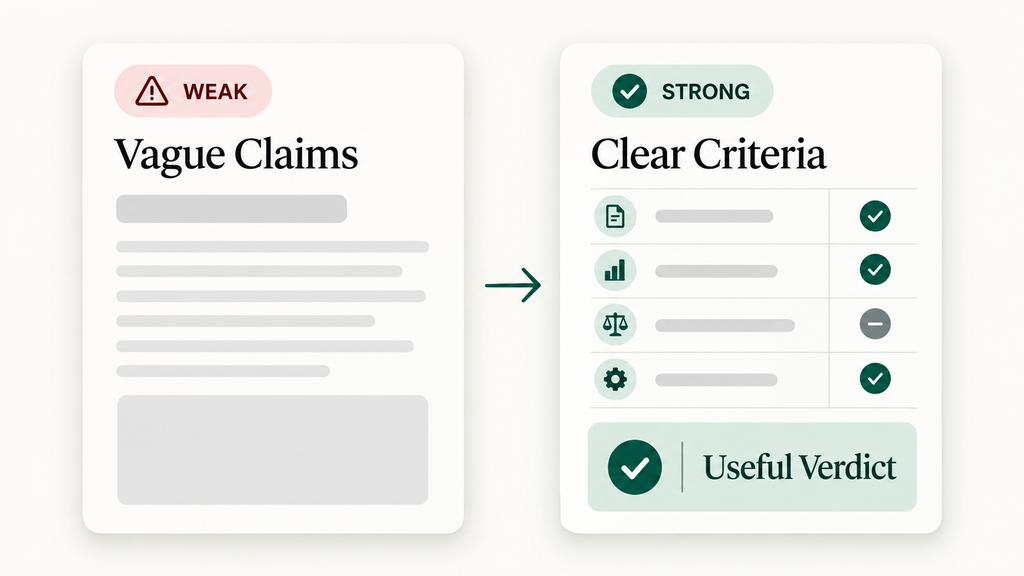
A strong SaaS comparison replaces broad superiority claims with defined criteria, practical differences, and a verdict tied to buyer fit. The goal is not to make both products look equal. The goal is to explain where each one is stronger, what the tradeoff means, and who should choose it.
Weak paragraph
Product A is the best platform for modern teams. It is easier, faster, and more powerful than Product B. With better features and an intuitive interface, Product A is the clear choice for any growing company.
The paragraph defines none of its claims. “Easier” could mean setup, daily use, training, or administration. “Faster” has no task or measurement. “Any growing company” ignores different workflows.
Stronger rewrite
Choose Product A when a small marketing team wants campaign briefs, approvals, and content tasks in one flexible workspace. Choose Product B when several departments need fixed workflows, workload views, and portfolio reporting. Product A gives teams more freedom to shape the workspace. Product B offers more structure for repeatable work and cross-project oversight.
What changed:
- The rewrite names the target teams.
- It compares workflow flexibility with execution structure.
- It gives both products a credible best-fit case.
- It lets the buyer decide without an unsupported winner claim.
Use this pattern for each major criterion: name the difference, explain its effect, state who benefits, and link the claim to evidence when needed. If your team needs a broader pre-publish system, use this B2B SaaS blog post checklist to review intent, evidence, structure, internal links, and CTA fit.
How to Promote Your SaaS Without Sounding Biased
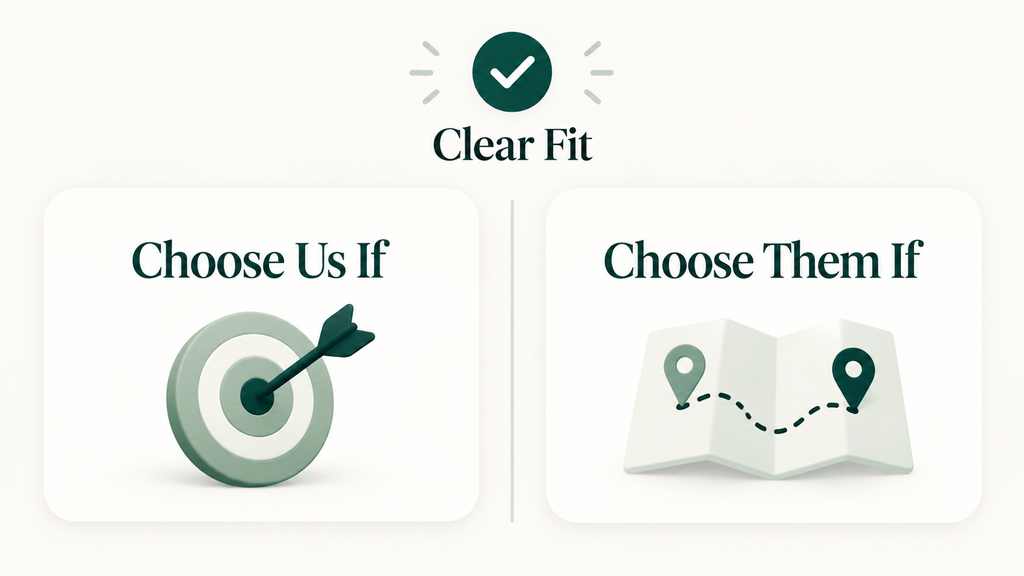
You can promote your SaaS clearly without attacking a competitor. Take a position based on the buyer, use case, and tradeoff. Say “choose us if” and “choose them if,” support factual claims, and disclose relevant limits. Confident positioning explains fit. Bias hides facts or claims superiority without proof.
A useful comparison does not have to be neutral. Your page can make a strong case for your product through fit and evidence.
Use guidance such as:
- Choose us if you need a specific workflow, level of control, pricing model, integration, service model, or type of setup.
- Choose them if your priority is a capability they handle better, your team fits their model, or you do not need the depth your product offers.
Transparent limitations help readers rule themselves in or out. A product built for complex revenue operations may not suit a five-person startup. Saying so also protects sales time.
Claims about pricing, features, customers, speed, security, service, or results need current evidence. Use official pricing pages, product documents, trust centers, release notes, and dated tests. Mark estimates clearly.
The FTC’s comparative advertising policy supports truthful comparisons when the basis is clear and the message is not deceptive. Legal requirements differ by market, so ask counsel to review high-risk claims, trademark use, or campaigns that name competitors.
B2B SaaS Comparison Page Checklist
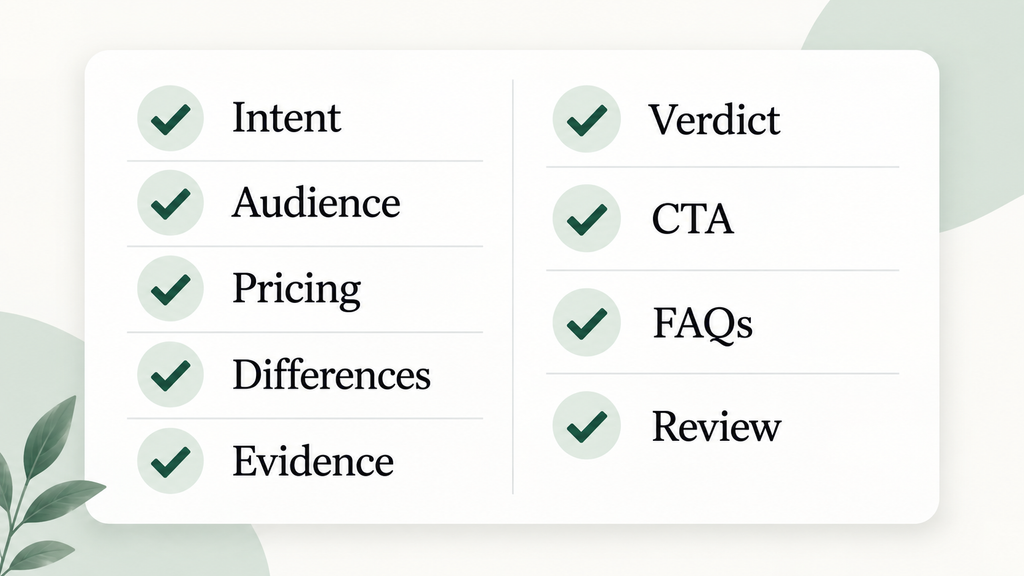
A B2B SaaS comparison page is ready to publish when it matches the search intent, speaks to one defined buyer, compares decision criteria fairly, supports claims, gives a clear verdict, and creates a useful next step. It also needs internal links, direct answers, FAQs, and a review date.
- Search intent: Does the format match “vs,” “alternatives,” “reviews,” pricing, or category research?
- Audience: Is the target role, team, company stage, or workflow clear?
- Decision criteria: Did you use criteria buyers care about?
- Pricing clarity: Are public prices, pricing models, plan limits, and the date checked clear?
- Feature differences: Does each key difference explain its effect?
- Integrations: Did you verify the integrations tied to the target workflow?
- Use cases: Does the page show where each product fits in real work?
- Limitations: Did you state drawbacks and better-fit cases?
- Evidence: Can readers verify factual and comparative claims through current sources?
- Verdict: Does the verdict name who should choose each option and why?
- CTA: Does the next step match the reader’s decision stage?
- FAQs: Do answers cover objections that may delay the decision?
- Internal links: Do links help readers reach the right next page?
- Review date: Is one person responsible for scheduled checks?
- AI-readable answer blocks: Do key sections begin with clear, stand-alone answers?
Google’s people-first content guidance asks whether readers learn enough to reach their goal. If a buyer must search again because you hid the real tradeoff, the page is not finished.
Frequently Asked Questions
What should a SaaS comparison page include?
A SaaS comparison page should include a quick verdict, focused table, pricing context, key differences, integrations, use cases, limitations, ideal-customer guidance, evidence, FAQs, and a clear CTA. Match the sections to the buyer’s query and stage.
Is it acceptable to say a competitor is better for some users?
Yes. Saying a competitor is better for a defined user or use case can make the page more credible. Explain why and use current evidence. This shows that your recommendation depends on fit, not a claim that your tool suits everyone.
Should one page compare two products or several alternatives?
Use one page for a direct “A vs B” decision. Compare several products when the buyer wants alternatives or a category shortlist. Do not combine both formats if it makes the verdict vague.
How often should a SaaS comparison page be updated?
Review the page on a fixed schedule and after major pricing, packaging, feature, integration, or positioning changes. Add a review owner, source list, and last-checked date.
Who should write a SaaS comparison page?
A SaaS comparison page should be written by someone who can connect SEO, product marketing, buyer research, and claim review. The writer needs product facts, customer questions, sales insight, competitor sources, and an approval process.
B2B SaaS comparison pages work when they help buyers make a clear choice, even when that choice is not your product. Build around the decision, support key claims, show the tradeoffs, and keep the facts current.
If you want a SaaS comparison page writer to handle the research, structure, writing, and optimization, my SaaS Comparison Content service starts from $375 per page. I can write the page from scratch or improve it using your existing brief, with a focus on buyer clarity, search intent, Google visibility, and AI visibility.
View SaaS Comparison ContentNeed SaaS content built for SEO and AI visibility?
Work with Manal Ghamir on answer-first SaaS content that supports Google rankings, AI search visibility, buyer education, and product clarity.
View Services View Portfolio Contact Manal