Start with the post that matters to a buyer, shows a specific opportunity in search, contains a fixable accuracy gap, and fits your team’s capacity. A traffic drop alone is not a reason to rewrite. This five-page SaaS content refresh example shows how to rank candidates, choose one, and check whether the change helped.
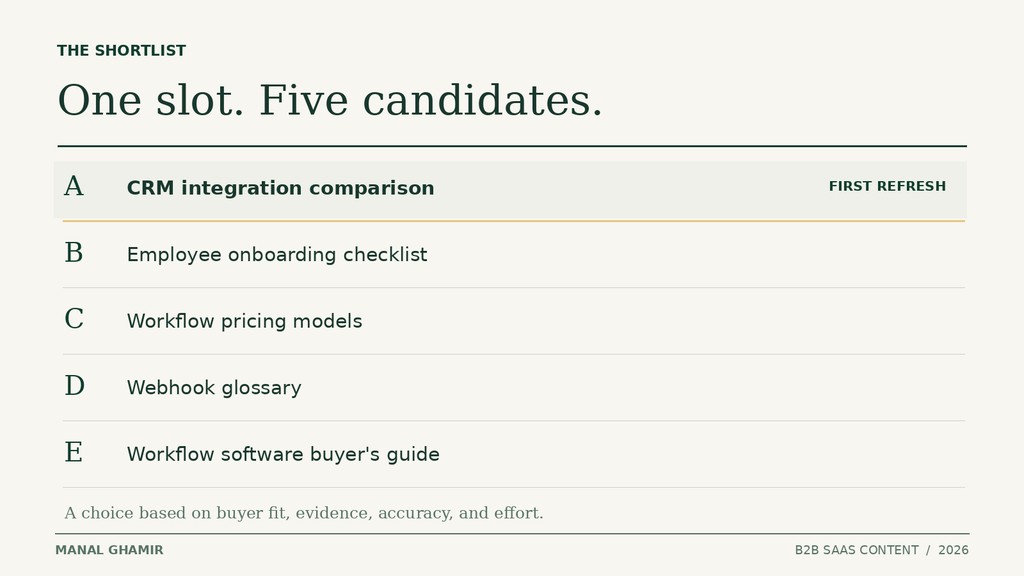
Suppose your team has time to update one article this month. Your list includes a high-traffic checklist, a comparison post, a pricing guide, an API glossary, and a broad buyer’s guide. Which gets the slot? The answer becomes clearer when you compare the same four factors for each page.
Gather the minimum evidence needed
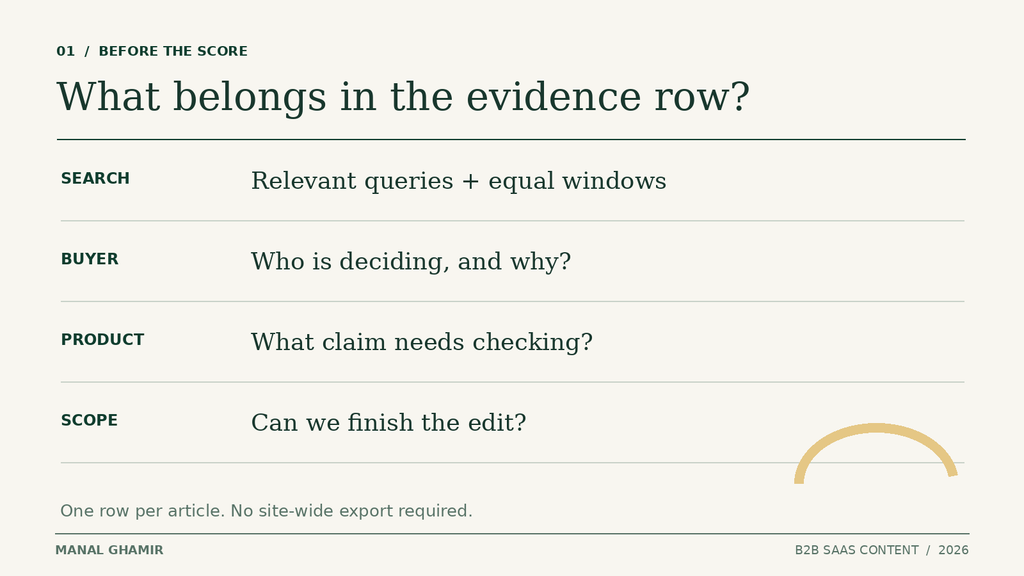
Make a shortlist of five existing posts. You do not need a site-wide audit to make this first decision. For each URL, record the intended buyer, the question it answers, the product facts it states, and the likely next step. Ask sales or support if the question still comes up. Then look at the page and the search queries that actually bring readers to it.
In Google Search Console, filter the Performance report to a page and compare equal date ranges. Inspect its relevant queries, clicks, and impressions. Google recommends checking whether a drop is limited to particular queries or pages and comparing a similar period, including year over year when seasonality may matter. Its traffic-drop guide explains the checks. A fall in total clicks may reflect lower demand, a shift in query mix, or a wider site issue. It does not prove that the article needs new copy.
If you have analytics, note whether visitors from that page take a useful action, such as visiting an integration page or submitting a demo form. The GA4 landing page report can show engagement and configured key events. Search Console clicks and GA4 sessions use different definitions, so do not expect their totals to match. Google explains that difference.
Finally, open the article with a product owner. Check feature availability, integration limits, prices, screenshots, and claims against current documentation. Estimate the time to fix the page, including review time. A two-hour edit and a two-week rebuild should not enter the queue on equal terms.
Compare five candidate posts with one simple score
Illustrative example. These pages and performance figures are fictional, not client results.
Imagine a workflow SaaS company that sells to operations teams. The click figures below compare two equal 90-day periods for the same page and relevant query group. They are made up to show the decision, not to predict results.
| Post topic | Buyer relevance | Performance evidence | Accuracy gap | Effort | Score | Priority |
|---|---|---|---|---|---|---|
| A. CRM integration comparison | High; buyers compare setup paths | Relevant clicks 240 → 155; impressions 6,100 → 5,900 | Old setup limits and vague fit guidance | About 1 day | 19 | 1st |
| B. Employee onboarding checklist | Low; many readers seek a template | Relevant clicks 900 → 510; mostly broad queries | No known factual error | About 2 hours | 12 | 4th |
| C. Workflow pricing models | High; buyers assess costs | Relevant clicks 105 → 90; small change | States a discontinued plan as available | About 3 days with approval | 18 | 2nd; correct claim now |
| D. Webhook glossary | Low; educational search | Relevant clicks 65 → 40; low volume | One outdated screenshot | About half a day | 11 | 5th |
| E. Workflow software buyer’s guide | Medium; mixed research intent | Relevant clicks 300 → 180; several terms fell | Thin product criteria | About 2 weeks | 14 | 3rd |
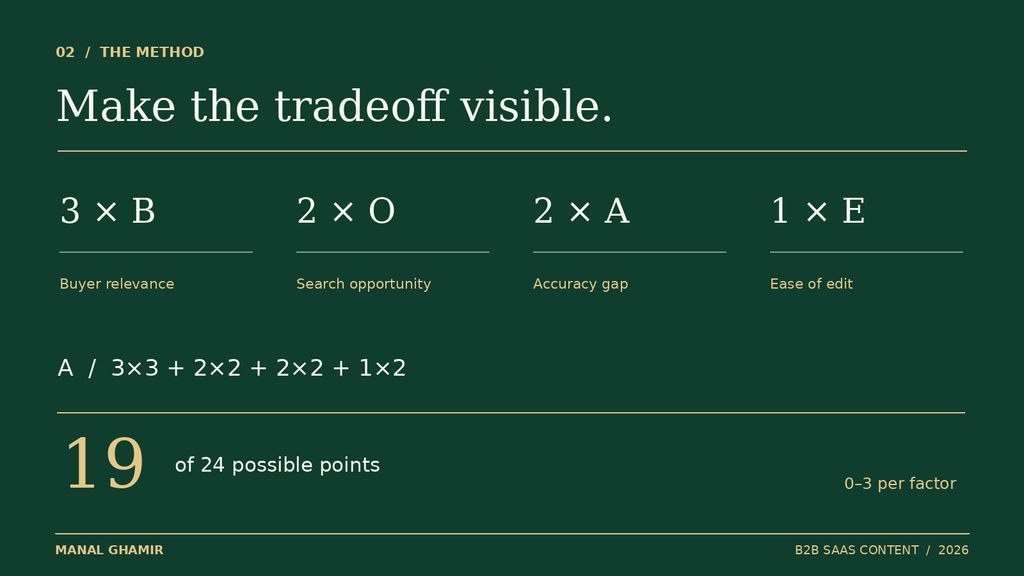
Use a 0–3 rating for each factor:
- Buyer relevance (B): 0 means little link to a buying decision; 3 means a clear question from a likely buyer.
- Opportunity (O): 0 means no specific search signal; 3 means a strong, relevant gap after you check query mix and demand.
- Accuracy (A): 0 means current facts; 3 means a material error.
- Ease (E): 0 means a major rebuild; 3 means a short, reviewable edit.
The scores are editorial judgments, not a measurement from Google.
Priority score = 3B + 2O + 2A + E, with a maximum of 24. Buyer relevance gets the most weight because a large drop on an unrelated topic should not take over a buyer-focused queue. Opportunity and accuracy matter, while ease breaks close calls. Agree on the weights before scoring your own pages.
- A: B3, O2, A2, E2 = 9 + 4 + 4 + 2 = 19
- C: B3, O1, A3, E1 = 9 + 2 + 6 + 1 = 18
- E: B2, O3, A1, E0 = 6 + 6 + 2 + 0 = 14
- B: B1, O3, A0, E3 = 3 + 6 + 0 + 3 = 12
- D: B1, O2, A1, E2 = 3 + 4 + 2 + 2 = 11
That gives a planned refresh order of A, C, E, B, D. Do not treat one point as scientific precision. If a stakeholder challenges a rating, inspect the underlying query, customer question, or product fact. The score makes the tradeoffs visible; the evidence still makes the decision.
Select the first refresh, then handle urgent corrections
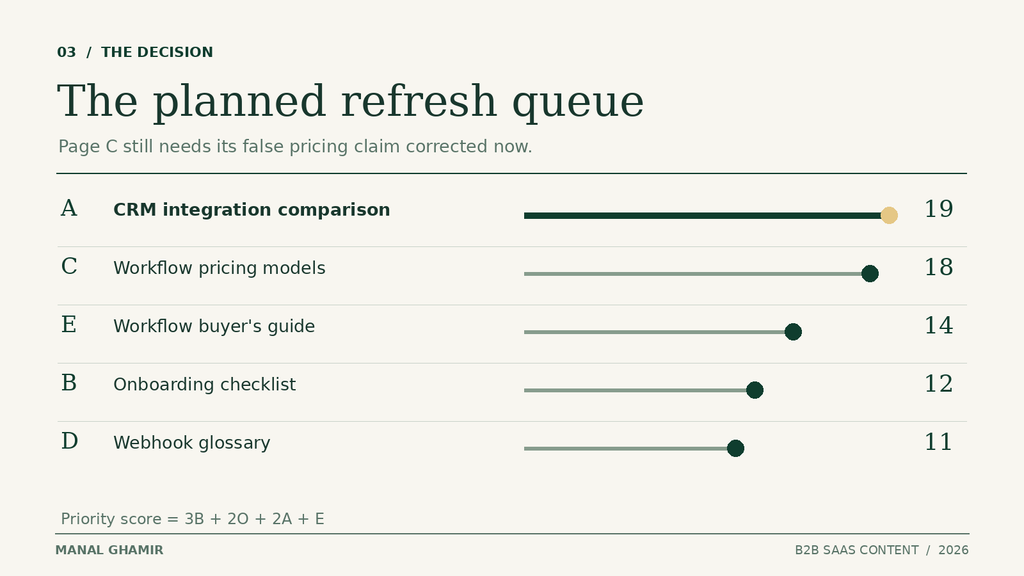
Page A wins the planned SaaS content refresh. It helps a buyer compare two setup paths, its relevant search clicks fell, its description of current limits is weak, and the team can update it in about a day. The evidence does not prove that the old copy caused the decline. It does give the team a useful page and a bounded change to test.
Page B lost far more clicks, but much of its readership wants a general template. Page E also declined, yet it needs two weeks of research and review. If the team has only one day, starting E means no finished improvement this month. Page D is a small task, but it serves a more distant reader need.
Page C needs a separate action today: remove or correct the claim that a discontinued plan is still available. That is a factual correction, even though the full pricing guide ranks second for a planned refresh. Verify the current plan with the product or pricing owner, fix the statement and any linked table, and record the correction. Do not leave a misleading claim live while waiting for the editorial queue.
If all five posts have flat traffic, you can still choose a page based on buyer relevance, an inaccurate answer, or a missed opportunity in relevant impressions. If a page loses clicks because search demand has fallen across the category, a rewrite may be the wrong response. Look at the actual queries before assigning an opportunity score.
Decide what to change on the winning page
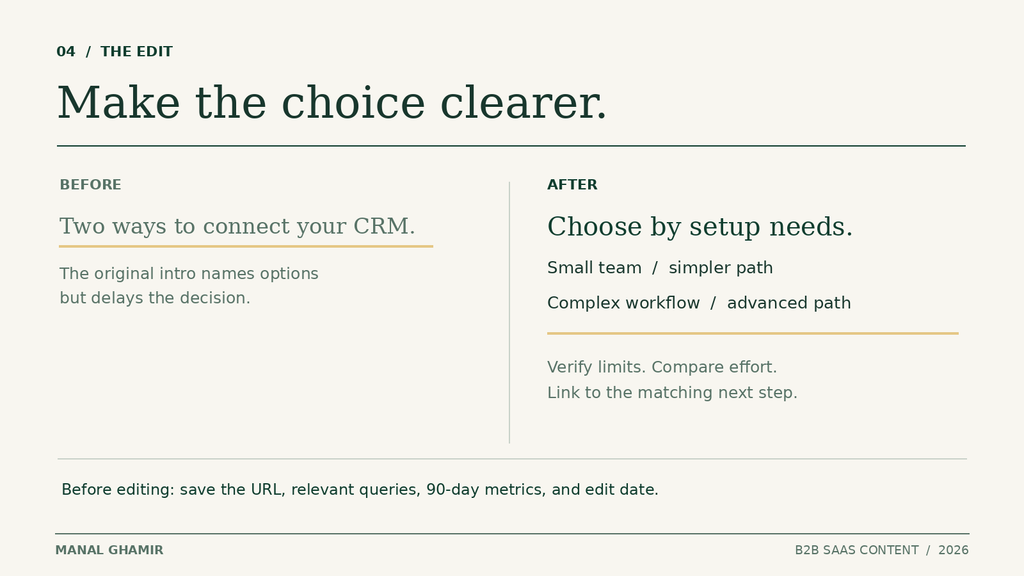
Keep the scope narrow: the CRM integration comparison should help an operations buyer choose a setup path. Before editing, save its current URL, title, publish and update dates, relevant query set, and the last 90 days of clicks and impressions. Capture the prior comparable 90-day window too. Note current engagement, demo inquiries, or clicks to the integration page if tracking exists. Record the exact edit date and take a copy of the old text.
Then make four changes, in this order:
- Confirm the product facts. Ask the product owner which integration methods, plan limits, and setup steps still apply. Replace old claims with approved details. Link to current documentation where useful.
- Answer the choice early. State which setup path fits a small team and which fits a complex workflow, with the key condition for each. A reader should not have to reach the last section to find the distinction.
- Make the comparison useful. Add a small table with prerequisites, setup effort, limitations, and who each path suits. Keep the criteria tied to buyer questions rather than filling space with features.
- Offer a matching next step. Link to the integration documentation or a focused demo request. Do not send every reader to a generic contact page.
For a compact example of how the first paragraph can answer a specific SaaS question sooner, see my answer-first intro rewrite. If the concern is how several pages present your product in AI answers, my AI visibility audit guide covers that wider review. The decision here remains one article and one planned refresh.
Do not change the URL just to signal freshness. Keep a useful section that still answers the question. If the team cannot verify a product detail, flag it for review rather than writing a confident guess. A refreshed date should follow a meaningful, accurate update.
Measure whether the change helped
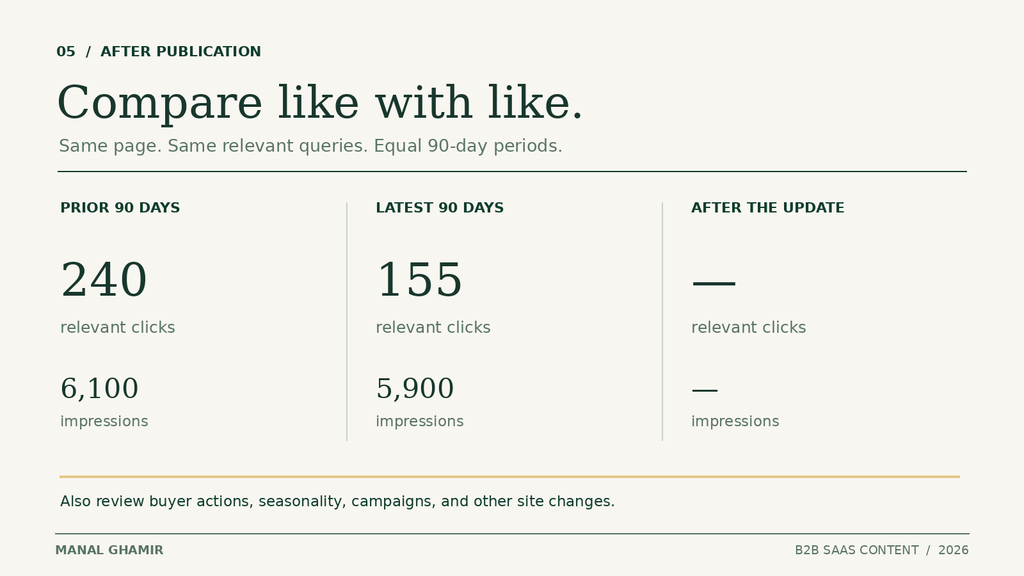
After publication, check that the page renders, the table works on mobile, and its links lead to the intended pages. Annotate the edit date. Give search reporting time to settle, then compare the same relevant query group and equal-length periods in Search Console. Look at both clicks and impressions, not only an average position. Check whether the questions the page was meant to answer gained visibility.
For this fictional page, the baseline is 155 relevant clicks and 5,900 impressions in the latest 90-day period, versus 240 clicks and 6,100 impressions in the prior 90 days. Those figures set a starting point, not a target or a promised recovery. Record the actual query list so a shift from buyer queries to broad educational queries does not look like a win.
Where tracking exists, review visits to the integration page, useful engagement, qualified demo requests, or other configured key events from sessions that began on the article. A rise in clicks with no improvement in buyer actions may still leave the original problem unsolved. If those events are not configured, say so; do not infer conversions from traffic.
Use a comparable period and check the same season last year when you have enough history. Marketing campaigns, search demand, product launches, and other site changes can move the numbers too. One before-and-after comparison cannot prove that the refresh caused a lift. You can, however, decide whether the page now answers the buyer better and whether the direction of relevant search and buyer actions merits another iteration.
The practical choice is simple: correct Page C’s wrong plan claim now, spend the planned refresh slot on Page A, and review the evidence before choosing the next page. That is a repeatable way to put a limited content budget where it can help the right reader.
FAQ
What if a post has too little search data to score?
Do not treat a handful of clicks as a trend. Give the search opportunity factor a cautious score. Use buyer questions, verified product problems, and the work required to judge the page, then revisit its score when you have more data.
What if two posts receive the same priority score?
Choose the post with clearer buyer relevance or the more serious verified accuracy gap. If those are also equal, choose the update your team can finish and review sooner. Record why you made the choice.
Should a new blog post enter the refresh shortlist?
Yes, if it contains a wrong product claim or fails to answer an important buyer question. Its short performance history may not support a decay score, so assess the evidence you do have. Do not refresh it solely because it has not gained traffic yet.
What if two existing posts answer the same buyer question?
Review them together before choosing one to refresh. Compare their intended reader, useful sections, relevant queries, and links. If they serve the same need, decide which page should be the main answer and whether the other needs a distinct purpose or should be combined with it.
How often should we rank posts for a content refresh?
Revisit the shortlist when your team has capacity for the next update or when a meaningful fact changes. You can keep a small standing queue, but check the queries, product details, and effort again before starting. An old score should not make the next decision for you.
One focused next step
Choose the page before you commission the rewrite
Have several SaaS posts that need attention? Send me the article you suspect matters most. I can review its buyer fit, search intent, product accuracy, and next step, then give you a clear order of work.
Start with a review of one priority page.