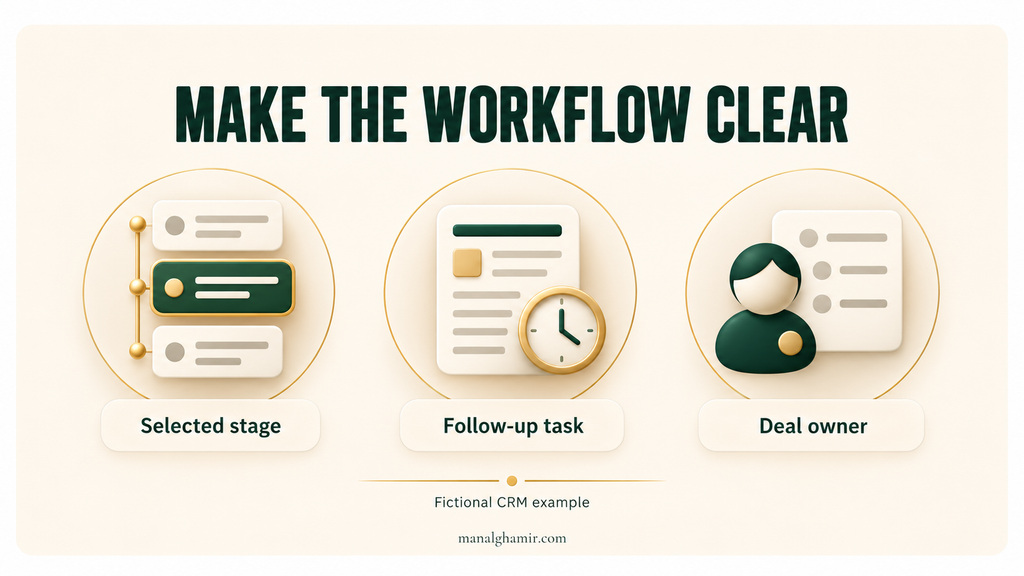
A feature list can tell buyers what your product contains while leaving them unsure how it fits their work. “Workflow automation” does not explain what starts the workflow, what gets created, or who still needs to act. Useful SaaS feature page copy examples make those details visible so a buyer can evaluate the capability before requesting a demo.
Connect the feature to a recognizable job: the starting situation, setup, automatic action, output, and limits.
This guide uses one fictional CRM follow-up automation feature: an illustrative writing exercise, not a real product review, client project, or measured case study. The capability stays consistent throughout.
Table of Contents
Why the feature list falls short
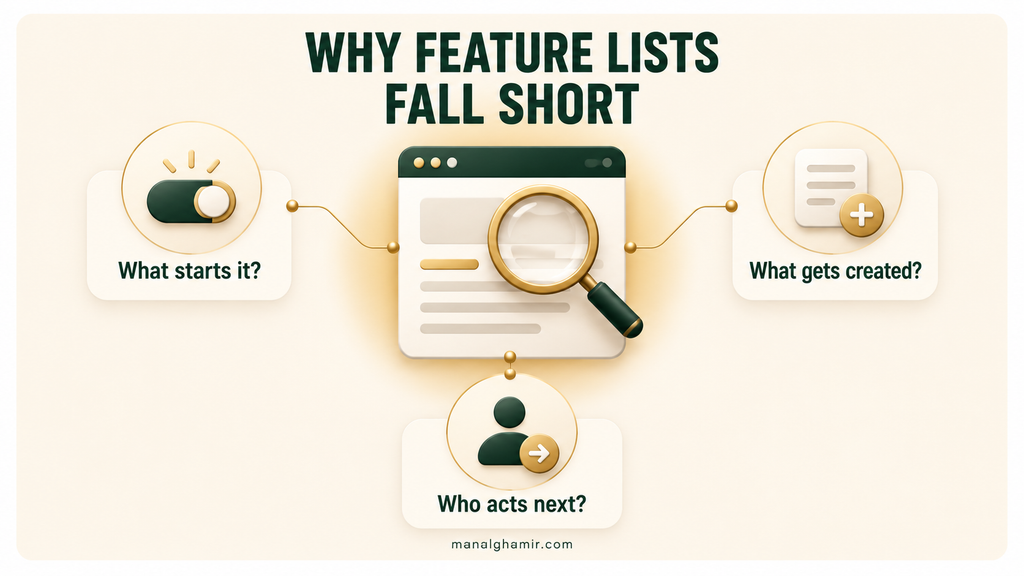
Here is plausible weak copy for our fictional feature:
Put your sales on autopilot
Streamline your workflow with powerful automation. Keep your team aligned, eliminate manual work, and close more deals with effortless follow-up.
- Smart workflow automation
- Customizable tasks
- Seamless activity tracking
The feature behind this copy is narrower. An administrator creates a rule triggered when a deal enters a selected pipeline stage. The rule creates a follow-up task for the existing deal owner, using instructions and a due-date delay set by the administrator. The CRM records the automation event in the deal’s activity history.
It requires an assigned deal owner. It does not send customer emails, judge lead quality, or guarantee task completion. Plan availability, permissions, and duplicate-trigger behavior require product-team confirmation.
Compare that specification with the original wording. Six problems become clear.
The task is unclear. “Workflow automation” could mean sending an email, assigning a lead, or creating an internal task. Here, the job is creating a follow-up task. Naming that job helps a buyer determine whether it addresses their need.
The trigger is missing. The reader cannot tell whether the feature runs after a meeting, on a schedule, or when a deal changes stage. “When a deal enters your selected pipeline stage” establishes the starting event.
The setup is hidden. “Effortless” conceals the administrator’s work: selecting the stage, writing task instructions, and setting the due-date delay. Buyers need to know what someone must configure before the automation can be used.
The output is vague. “Activity tracking” does not tell the reader what appears afterward. The actual outputs are a task assigned to the existing deal owner and an automation event recorded in the deal’s activity history.
Automatic and human work are blurred. “Sales on autopilot” suggests the product handles the follow-up itself. It creates the task; the owner must carry out the follow-up. That distinction can determine whether the feature fits the buyer’s process.
The outcome lacks evidence. “Close more deals” jumps from task creation to sales performance. Nothing in the specification proves that result. Even a working automation screenshot would not establish increased sales.
Explain the buyer’s workflow
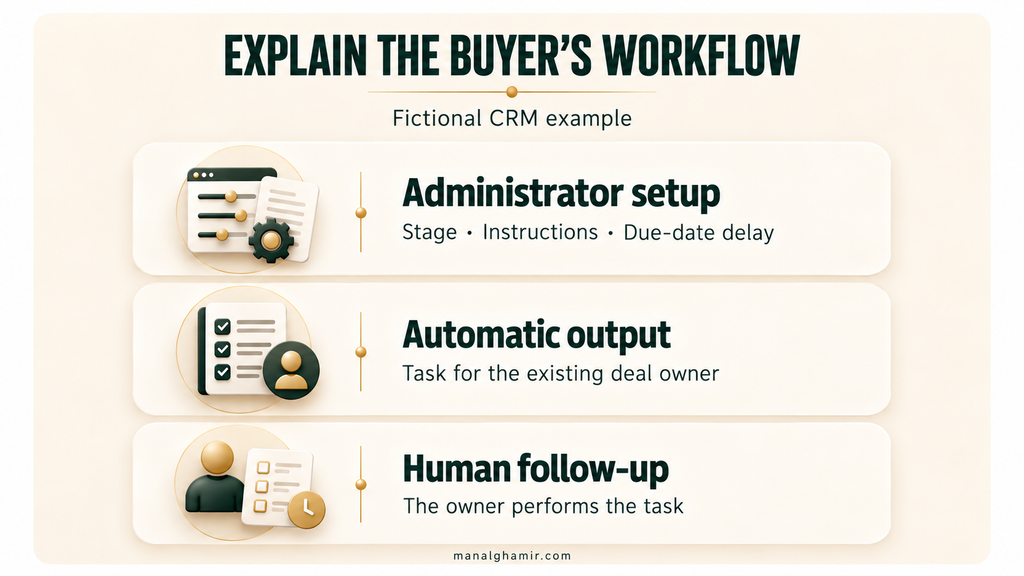
Before rewriting, use buyer questions to expose missing product information.
| Buyer question | Product detail needed | Copy implication |
|---|---|---|
| Who sets this up and who uses the result? | An administrator configures it; the existing deal owner receives the task. | Name both roles instead of addressing an undefined “team.” |
| What starts it? | A deal enters the selected pipeline stage. | Put the trigger beside the automatic action. |
| What must I configure? | Stage, task instructions, and due-date delay. | Show the setup in a short sequence. |
| What happens automatically? | The CRM creates a follow-up task for the existing owner. | Specify the action and assignment. |
| What appears afterward? | The created task and an event in the deal’s activity history. | Describe the output and show a matching example. |
| What still needs a person? | The owner evaluates the situation and performs the follow-up. | Separate task creation from customer communication. |
| What could prevent fit? | An owner is required; entitlements and repeat-trigger behavior are unconfirmed. | State the known prerequisite and investigate the unknowns. |
Describe the sequence before writing the headline
- The administrator defines the rule. They select the pipeline stage, write the follow-up instructions, and set the due-date delay. These are inputs the buyer should expect to provide.
- A deal enters that stage. For this illustration, use “Proposal sent.” The stage name is an example configuration choice. The trigger is entering the selected stage, not simply having a deal somewhere in the pipeline.
- The CRM creates the task. It assigns the follow-up task to the existing deal owner and uses the configured instructions and due-date delay. Setting a later due date does not mean the task is created later.
- The output becomes visible. The user sees the created task. The deal’s activity history records the automation event. Do not describe an email notification or another interface location without confirmation.
- The owner does the follow-up. The owner decides what to say and performs the task. The automation does not assess lead quality or complete the interaction.
Now compare three ways to describe that same feature:
| Description type | Example | What the buyer learns |
|---|---|---|
| Feature label | Follow-up automation | The category of functionality. |
| Broad benefit claim | Keep every opportunity moving | An intended benefit, without the mechanism or proof. |
| Workflow explanation | When a deal enters your selected stage, create a follow-up task for its existing owner with the instructions and due-date delay you configured. | The trigger, action, recipient, and setup. |
Use the feature label in navigation and the workflow explanation in the page body.
Put each explanation where it answers a question
Use the headline to identify the task and trigger. Follow it with a paragraph that names the administrator’s setup and the owner’s role. Place three short workflow steps next, so the reader can connect configuration to output.
Put a rule-setup screenshot beside the setup explanation and a created-task screenshot beside the output. A large dashboard image is less useful if buyers cannot locate the thing described. Captions should identify what the image demonstrates.
Place a descriptive CTA after the reader understands the feature. “See follow-up task creation in a demo” tells them what they can inspect next. It should lead to a demo that can actually show that sequence.
Powered by Search’s feature-page roundup offers broader examples of page presentation. For this rewrite, the priority is making the copy and product evidence explain the same behavior.
Add proof and limits
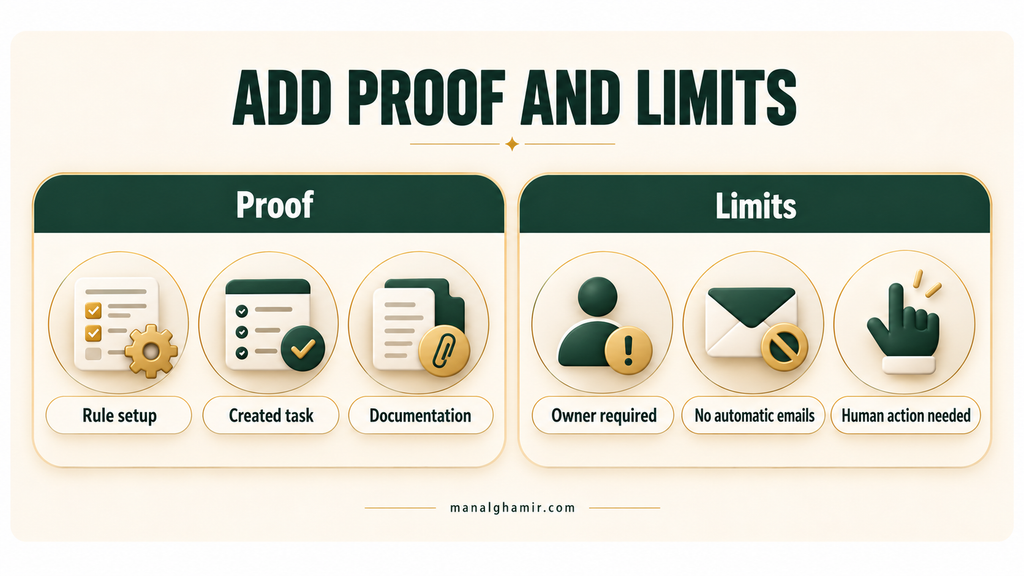
Evidence should match the claim it sits beside. A screenshot can demonstrate a product state; it cannot establish every business outcome associated with that state.
Rule-setup screenshot: Show the selected stage, task instructions, and due-date delay. This demonstrates the configuration shown. It does not establish who has permission to create rules or which plans include them.
Created-task screenshot or sample: Show the assigned owner, instructions, and due date. A real screenshot demonstrates an observed output. A sample illustrates the intended output and must be labeled as such. Neither proves that the owner completed the follow-up.
Product documentation: Confirm the stage-entry trigger and task-creation action. Documentation supplies the behavior and conditions a screenshot may omit. For publication, use current documentation for the actual product being described.
Permissions and plan confirmation: Establish which roles can configure the rule and which subscriptions include it. This answers availability questions. It does not prove that a particular team will adopt or benefit from the feature.
Customer evidence: If the page claims faster follow-up or increased sales, obtain evidence of that specific result, with the measurement period, comparison, and context. A quote expressing satisfaction supports that person’s experience; it does not automatically substantiate a numerical performance claim.
| Claim | Evidence needed | What remains unproven |
|---|---|---|
| A selected stage entry creates a follow-up task. | Current documentation and an observed trigger-to-task test. | Completion or business impact. |
| The task uses the existing owner, instructions, and configured due date. | Rule setup, resulting task, and assignment documentation. | Behavior after owner changes unless separately checked. |
| The event appears in deal activity history. | An observed history entry and documentation. | An email alert or reporting capability. |
| Your team follows up faster. | Customer measurements of follow-up timing with a clear comparison. | That every team will obtain the same result. |
| Your team closes more deals. | Relevant sales-outcome evidence and a defensible explanation of attribution. | A universal sales improvement. |
State limits that could change the decision
Keep the owner requirement near the workflow: “A deal owner must be assigned.” Put the boundary between task creation and email sending beside the output, where it prevents a likely misunderstanding.
Plan restrictions and permissions belong near the availability information or CTA once confirmed. Repeat-trigger behavior belongs near the workflow if re-entering a stage could create another task. Do not write “no duplicate tasks” until the product team verifies it.
You do not need every troubleshooting detail on the feature page. Include conditions that affect fit, cost, access, or expected behavior; link documentation for deeper setup guidance. If a decision-critical fact is unknown, resolve it before publishing the real product page.
Before-and-after SaaS feature page copy examples
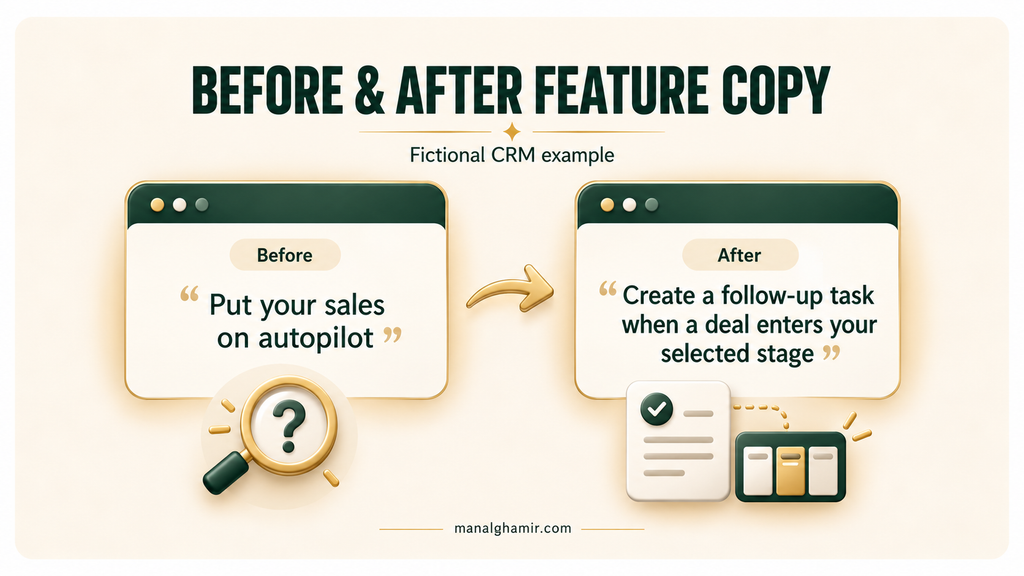
These two versions describe the same fictional feature. The first repeats the original for direct comparison. The second is a customer-facing copy draft based only on the assumed capability set.
Before: vague feature copy
Put your sales on autopilot
Streamline your workflow with powerful automation. Keep your team aligned, eliminate manual work, and close more deals with effortless follow-up.
- Smart workflow automation
- Customizable tasks
- Seamless activity tracking
After: explain the task, trigger, and output
Create a follow-up task when a deal enters your selected stage
Give deal owners a defined next task at the stage you choose. Your CRM administrator sets the follow-up instructions and due-date delay; the CRM creates the task for the deal’s existing owner when the deal enters that stage.
How it works
- Choose the stage. Your administrator selects the pipeline stage that triggers task creation.
- Define the follow-up. Your administrator writes the task instructions and sets how long after the trigger the task is due.
- Create the task automatically. When a deal enters that stage, the CRM creates the configured task for the existing deal owner and records the automation event in the deal’s activity history.
What the owner sees
With an illustrative rule for “Proposal sent,” instructions could read “Check whether the buyer has questions about the proposal,” with a due-date delay of one day. The resulting task uses those instructions, belongs to the existing deal owner, and is due one day after the trigger. The automation event appears in the deal’s activity history.
Before you use it
A deal owner must be assigned. This rule creates an internal task; it does not send customer emails or assess lead quality. The owner remains responsible for performing the follow-up.
See follow-up task creation in a demo
The demo CTA is illustrative text, not a link to an existing product. For a real page, its destination must support the promised demonstration.
Why each copy element changed
| Copy element | Before | After | Why it changed |
|---|---|---|---|
| Headline | Sales on autopilot | Create a task when a deal enters a selected stage | Names an observable action and its trigger. |
| Opening sentence | Streamline your workflow | Give deal owners a defined next task | Identifies the user and immediate output. |
| Supporting detail | Powerful automation | Administrator sets instructions and due-date delay | Makes the required setup visible. |
| Feature list | Smart, customizable, seamless | Choose stage; define follow-up; create task | Explains the sequence instead of praising the feature. |
| Output | Activity tracking | Assigned task plus recorded automation event | Separates two things a user can inspect. |
| Outcome | Close more deals | A task is created for the existing owner | Keeps the promise within the capability supplied. |
| Limit | Omitted | Owner required; human follow-up remains | Helps buyers assess fit and responsibility. |
The opening establishes the purpose. The next sentence identifies setup and timing; the steps expand it without changing the promise.
The sample explains “customizable tasks” through an instruction and due-date choice. The limitation prevents readers from assuming automatic customer communication.
Editorial checks outside the customer-facing draft: [Product team to confirm] eligible plans, rule-creation permissions, duplicate-trigger behavior, and the real demo destination. If those answers materially affect fit, add them to the final product-page copy. These are requests for verification, not customer testimonials or published product facts.
For another example of explaining an editorial change, see my answer-first SaaS intro rewrite. My CRM automation writing sample explores broader retention workflows; those capabilities are outside this fictional feature’s scope.
Check your own feature-page copy
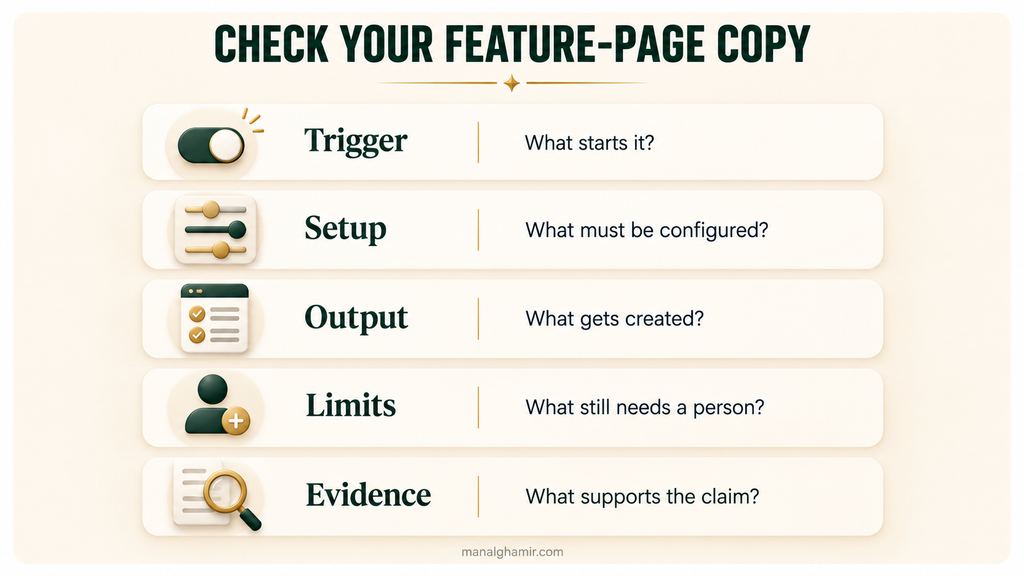
Use this checklist on one existing page:
- Can a buyer name the task from the headline and first paragraph?
- Is the trigger explicit?
- Are the administrator’s setup choices visible?
- Does the copy identify the automatic action and recipient?
- Can the reader picture or inspect the resulting output?
- Is the remaining human work clear?
- Are decision-changing prerequisites and restrictions easy to find?
- Does each claim have evidence of the right kind?
- Does the CTA describe an available next step?
Before rewriting, ask the product team:
- Does entering the selected stage trigger the rule, or does another event have to occur?
- Which fields configure the task, and how is its due date calculated?
- Is assignment to the existing owner fixed? What happens if no owner exists?
- What happens if the deal leaves and re-enters the stage? Can another rule create a similar task?
- What does the task show, and where is the automation event recorded?
- Which plans and permissions apply, and where are they documented?
- Can we observe the complete sequence and capture matching screenshots?
- Which claimed outcomes have customer evidence, and which should be removed?
FAQ
What should SaaS feature-page copy include?
SaaS feature-page copy should explain who uses the feature, what task it handles, what triggers it, what setup is required, and what output appears. Include relevant limitations, evidence supporting the claims, and a clear next step so buyers can evaluate whether the feature fits their work.
How do you turn a feature list into a workflow?
Turn a feature list into a workflow by describing the starting event, required setup, automatic action, resulting output, and remaining human work. In the fictional CRM example, “follow-up automation” becomes a rule that creates a task for the existing deal owner when a deal enters a selected pipeline stage.
How much product detail belongs on a feature page?
Include enough product detail for buyers to evaluate fit before requesting a demo. Explain essential setup, visible outputs, and restrictions that affect access or expected behavior. Link to documentation for deeper instructions, but keep decision-changing information, such as plan availability and required permissions, visible on the feature page.
What proof should support automation claims?
Support automation capabilities with current product documentation and evidence showing the trigger, configuration, and resulting output. Support outcome claims with relevant customer measurements. A screenshot showing a created task does not prove faster follow-up, reduced churn, or increased sales, and an illustrative mockup is not evidence of actual product behavior.
How is a feature page different from a use-case page?
A feature page explains one product capability, how it works, and the conditions for using it. A use-case page explains how a particular audience completes a broader job, potentially using several capabilities. Both can show workflows, but the feature page focuses on functionality while the use-case page focuses on the overall task.
Help buyers understand how your feature fits their work
If your feature page lists capabilities but leaves the workflow unclear, I can help turn it into copy buyers can evaluate.
I’ll review the buyer’s task, your current copy, setup requirements, outputs, limitations, supporting evidence, and next step—then rewrite the page around what your product actually does.
Discuss a feature-page rewrite