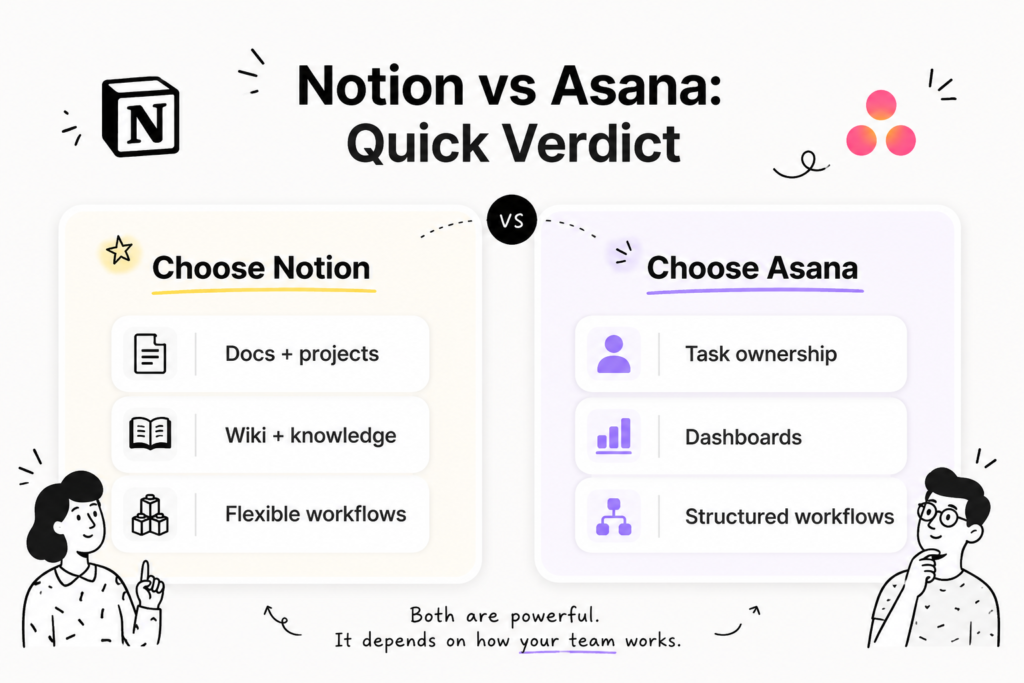
Growing SaaS teams comparing Notion vs Asana are choosing more than a project management tool. They are deciding where projects, docs, tasks, decisions, and team knowledge should live.
Both tools help teams organize work. The better choice depends on how your team works. Choose Notion when your SaaS team needs projects, docs, wiki, decisions, and knowledge in one flexible workspace. Choose Asana when your team needs structured task tracking, reporting, dashboards, goals, and standardized workflows.
This guide compares Notion and Asana across project management, documentation, reporting, AI, pricing, setup, SaaS workflows, limitations, and best-fit use cases.
Notion vs Asana: Quick Verdict for SaaS Teams
Notion vs Asana comes down to how your team works. Notion fits SaaS teams that need projects, docs, wiki, decisions, and knowledge in one flexible workspace. Asana fits teams that need structured task ownership, dashboards, goals, portfolios, workload tracking, and formal project reporting.
Decision point | Choose Notion when… | Choose Asana when… |
|---|---|---|
| Workspace model | You want docs, projects, wiki, and knowledge together | You want a dedicated work management system |
| Project management | You need flexible views, databases, and launch hubs | You need structured task tracking and dependencies |
| Docs and wiki | Documentation is central to the workflow | You already use Google Docs, Confluence, or another wiki |
| Reporting | Basic project visibility is enough | Leadership needs dashboards, portfolios, goals, and workload views |
| AI use case | You want AI to work across workspace knowledge | You want AI to support work tracking and project updates |
| Best fit | Growing SaaS teams reducing tool sprawl | Teams standardizing repeatable project workflows |
A connected workspace means one place for docs, projects, tasks, wiki, and team knowledge. Notion positions its Projects product around managing projects inside a connected workspace with less context switching, while Asana positions itself around goals, projects, tasks, accountability, and work management.
Practical rule: choose Notion when work needs more context. Choose Asana when work needs more structure.
Fair Comparison Table: Notion vs Asana
| Criteria | Notion | Asana | Best fit | Notes |
| Workspace model | Connected workspace for docs, wiki, projects, and knowledge | Structured work management system | Depends | Main decision point |
| Project management | Flexible project views and workflows | Structured project and task tracking | Depends | Notion for flexibility, Asana for structure |
| Docs and wiki | Strong fit for knowledge and documentation | May need a separate docs or wiki system | Notion | Important for SaaS specs, briefs, and decisions |
| Task ownership | Supports flexible task systems | Strong for owners, dates, dependencies, and process | Asana | Best when accountability matters most |
| Reporting | Supports views and summaries, depending on setup | Strong dashboards, goals, portfolios, and workload features | Asana | Better for leadership visibility |
| AI and search | Strong fit when AI needs workspace context | Strong fit when AI supports work management | Depends | Match AI to the workflow |
| Templates | Works well for custom SaaS systems | Works well for repeatable project workflows | Depends | Choose based on setup style |
| Pricing | Compare based on docs, projects, AI, and workspace needs | Compare based on reporting, portfolios, and work management needs | Depends | Check current plans before rollout |
What Is Notion Best For?
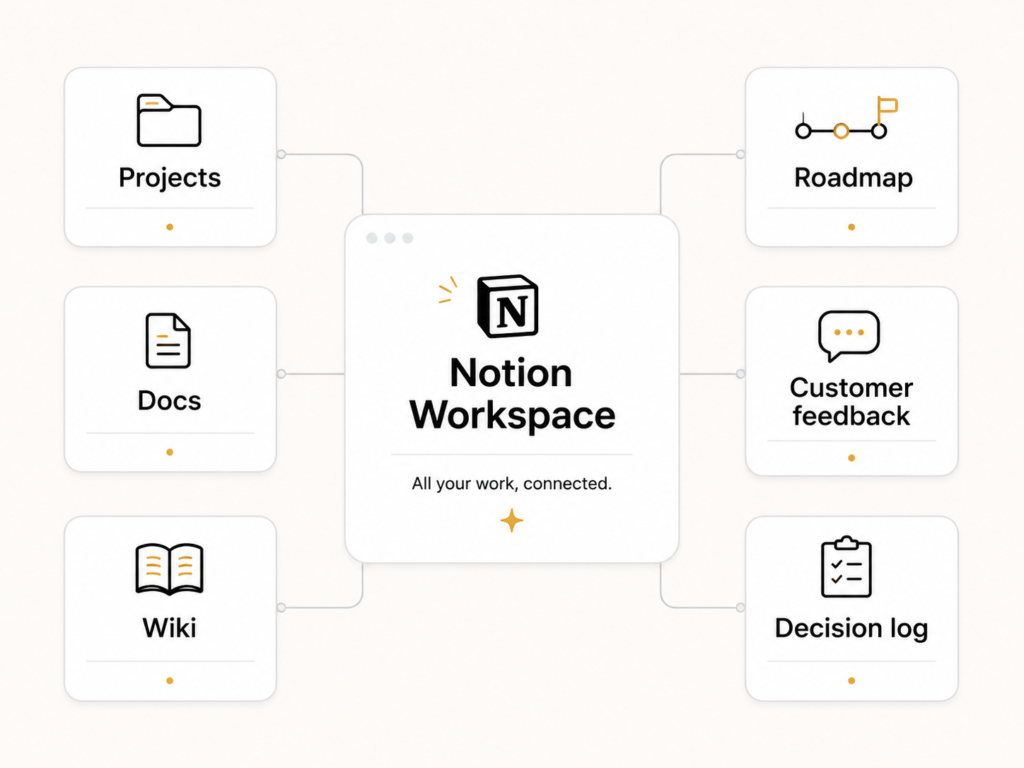
Notion is a strong fit for SaaS teams that need project work and team knowledge in the same place. It works well when product roadmaps, launch plans, meeting notes, customer feedback, internal wiki pages, and project tasks need to stay connected instead of spread across separate tools.
Notion fits teams where project context matters as much as task completion.
Use Notion when your team needs:
- Notion Projects for roadmaps, launch plans, owners, statuses, and project views
- Notion Wikis for onboarding, internal knowledge, team processes, and company docs
- Notion databases for customer feedback, content calendars, roadmap items, or feature requests
- Notion AI for summarizing, finding, and working with team knowledge
- Connected docs for product specs, GTM briefs, meeting notes, and decision logs
Notion’s product pages position it around a connected workspace for wiki, docs, and projects. Its Projects page describes project work inside a connected workspace, and its Wikis page focuses on centralizing knowledge and documentation.
Best for teams that want docs and projects together
A growing SaaS team often needs more than a task board.
Example: a product team planning a new onboarding feature may need:
- Product requirements
- Customer feedback
- Design notes
- Engineering tasks
- GTM plan
- Launch checklist
- Decision log
Notion helps when all of that context needs to live beside the work.
Stronger SaaS example
A SaaS product team launching an analytics dashboard could use Notion to keep the roadmap item, customer feedback, feature spec, GTM brief, help center plan, meeting notes, and post-launch retro in one workspace.
That keeps the project connected to the context behind it. The team can see what is being built, why it matters, who owns each part, and where the latest decisions live.
Where Notion may need structure
Notion’s flexibility has value, but it needs clear workspace rules.
Teams should define:
- Page owners
- Naming rules
- Database templates
- Status definitions
- Team spaces
- Review dates for wiki pages
- Clear archive rules for outdated docs
Without those rules, a flexible workspace can become messy.
What Is Asana Best For?
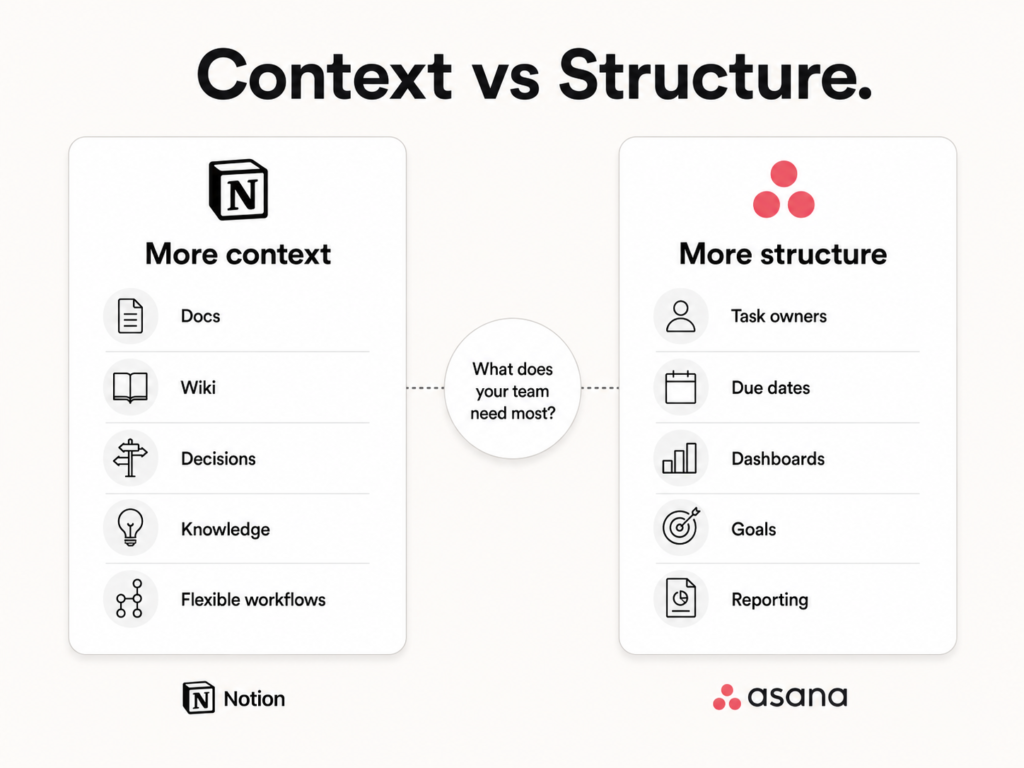
Asana is a strong fit for SaaS teams that need structured project tracking, task ownership, dependencies, dashboards, goals, portfolios, and workload visibility. It works well for teams that already have a documentation system and need a clear way to assign work, track progress, report status, and manage repeatable workflows.
Asana fits teams where structure matters more than workspace flexibility.
Use Asana when your team needs:
- Clear task owners and due dates
- Dependencies between tasks
- Project dashboards
- Goal tracking
- Portfolio-level visibility
- Workload or capacity planning
- Repeatable workflows for operations, launches, or implementation projects
- Cross-team accountability
Asana’s pricing and product details support this positioning through features such as project dashboards, timeline and Gantt views, task dependencies, goals, portfolio workload, universal workload, templates, custom fields, and reporting-related AI features.
Best for structured task and project tracking
Asana is a strong fit when the main problem is project structure.
Example: a SaaS operations team managing customer onboarding projects may need the same workflow every time:
- Kickoff call scheduled
- Customer requirements collected
- Account setup completed
- Integrations configured
- QA completed
- Training delivered
- Handoff sent to customer success
- Status reported to leadership
In this case, Asana may fit better because the workflow depends on consistency, ownership, reporting, and repeatable execution.
Where Asana may feel limited
Asana may not solve scattered knowledge by itself.
When specs, meeting notes, launch plans, and decisions live across Google Docs, Slack, spreadsheets, and email, task tracking alone may not fix the larger context problem.
Asana is strongest when the team’s main priority is formal tracking, reporting, and accountability.
Notion vs Asana Pros and Cons
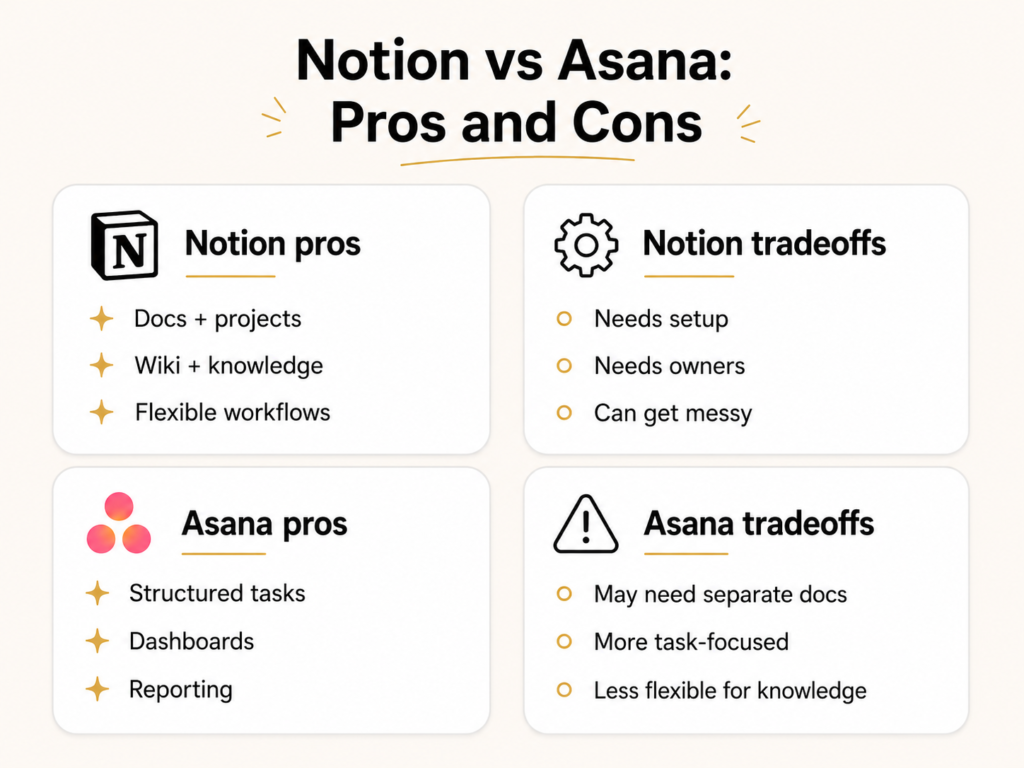
Notion pros
- Strong fit for docs, wiki, projects, and team knowledge in one place
- Flexible enough for changing SaaS workflows
- Strong for launches that need specs, roadmap context, meeting notes, and decisions in one place
- Helps reduce scattered work across separate tools
- Works well when context needs to sit beside execution
Notion cons
- May need setup and workspace rules
- Can become messy without templates and owners
- May not fit teams that need advanced reporting first
- Requires team discipline to keep information clean
Asana pros
- Strong fit for structured task and project tracking
- Useful for reporting, dashboards, portfolios, and goals
- Good for repeatable workflows and accountability
- Easier fit for teams that want structure from the start
- Strong when leadership needs formal visibility
Asana cons
- May not solve docs and knowledge management alone
- Can become another system beside scattered docs
- May feel too task-focused for teams that need context beside work
- Teams may still need a separate wiki or documentation tool
Notion vs Asana for Growing SaaS Team Workflows
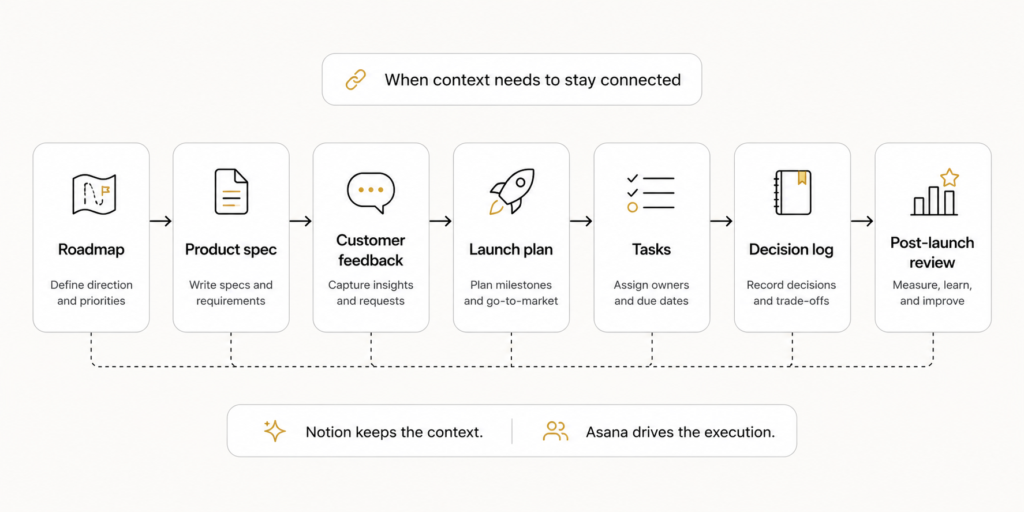
For SaaS teams, the better tool depends on the workflow. Choose Notion when the workflow needs connected context, like specs, docs, feedback, meeting notes, and decisions. Choose Asana when the workflow needs structured ownership, deadlines, dependencies, reporting, and leadership visibility.
| SaaS workflow | What the team needs | Better fit | Why |
|---|---|---|---|
| Product roadmap | Specs, priorities, feature requests, decisions | Notion | Roadmap context can live beside docs and feedback |
| Feature launch | Launch brief, owners, deadlines, GTM tasks | Depends | Notion for context, Asana for structured tracking |
| Marketing calendar | Briefs, assets, deadlines, approvals | Depends | Notion for planning docs, Asana for approvals and deadlines |
| Customer feedback tracker | Quotes, requests, themes, product decisions | Notion | Databases can connect feedback to roadmap decisions |
| Internal wiki | Onboarding, team processes, policies, playbooks | Notion | Wiki and docs are central to the workspace |
| Implementation workflow | Repeatable tasks, handoffs, due dates, reporting | Asana | Structured workflows support repeatable execution |
| Leadership reporting | Dashboards, portfolios, workload, status updates | Asana | Stronger fit when visibility is the priority |
Stronger SaaS example
A SaaS team launching a new analytics feature may need:
- Roadmap item
- Product spec
- Customer feedback
- Positioning brief
- Sales enablement notes
- Launch checklist
- Task owners
- Post-launch review
Notion is a strong fit when all of that context needs to stay together. Asana is a strong fit when the main priority is assigning tasks, tracking deadlines, and reporting progress.
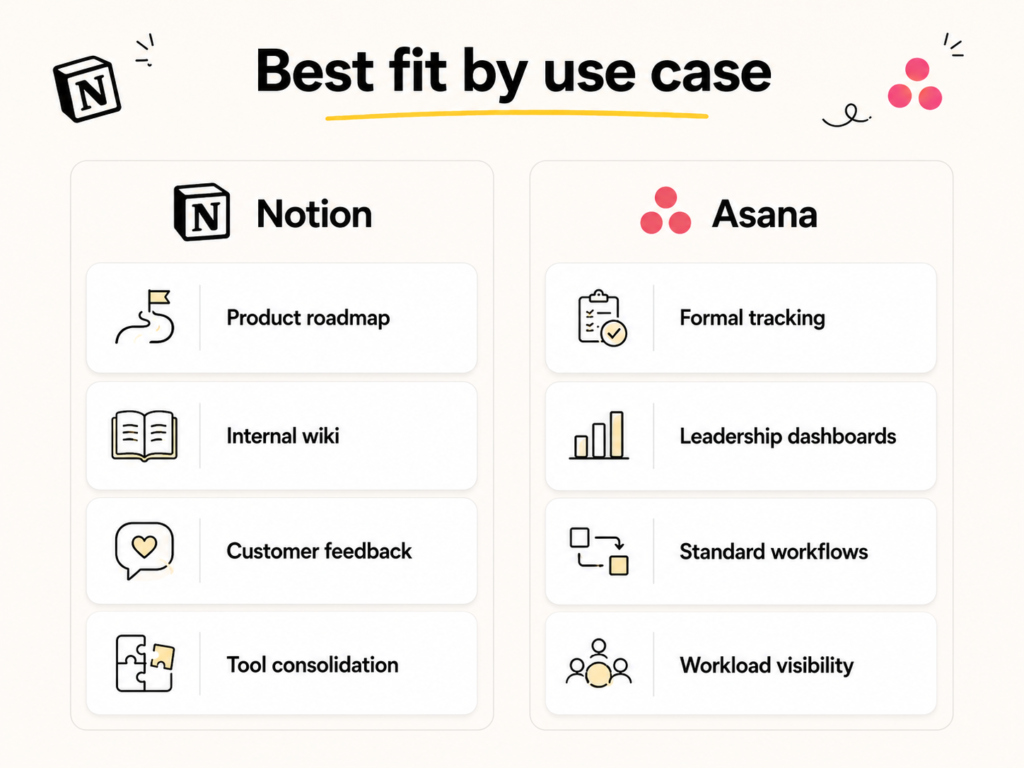
Best For: Notion vs Asana by Use Case
| Use case | Best fit |
|---|---|
| Product roadmap with specs and decisions | Notion |
| Formal project tracking | Asana |
| Internal wiki and onboarding docs | Notion |
| Leadership dashboards | Asana |
| Product launch planning | Depends |
| Marketing calendar with briefs | Depends |
| Customer feedback tracker | Notion |
| Standardized operations workflows | Asana |
| Reducing tool sprawl | Notion |
| Portfolio and workload visibility | Asana |
Use this decision rule:
- Choose Notion when work needs more context.
- Choose Asana when work needs more structure.
- Compare both carefully when the team needs both.
Pricing, Setup, and Team Rollout Considerations
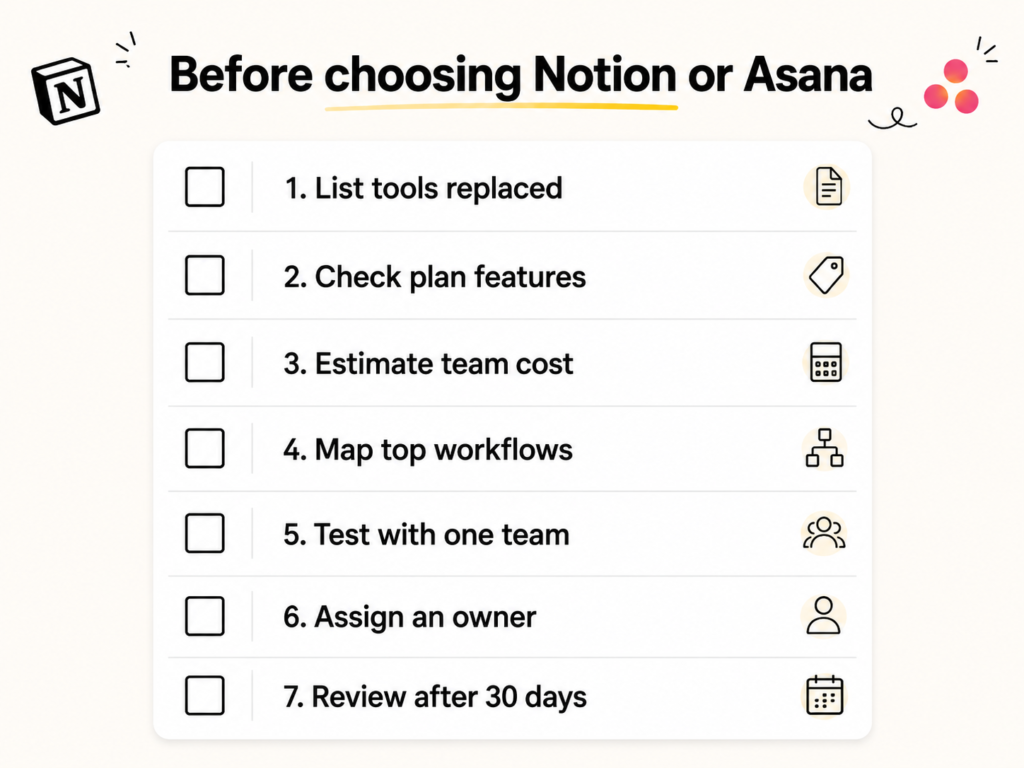
Before choosing between Notion and Asana, compare pricing by workflow value, not only by seat cost. A lower-cost plan may not be better if the team still needs extra tools for docs, wiki, reporting, AI, or project visibility.
Notion lists Free, Plus, Business, and Enterprise plans. Its pricing page also references AI-related features, Notion Agent, Custom Agents, Notion credits, charts, dashboards, forms, subtasks, dependencies, integrations, and connected apps.
Asana lists Personal, Starter, Advanced, Enterprise, and Enterprise+ plans. Its pricing page references project dashboards, timeline and Gantt views, task dependencies, goals, portfolio workload, universal workload, templates, custom fields, risk reports, AI Teammates, and add-ons.
Use this rollout checklist:
- List the tools each platform may replace.
Include Google Docs, spreadsheets, wikis, task boards, meeting notes, and project trackers. - Check which features each plan includes.
Compare AI, guests, permissions, admin controls, dashboards, portfolios, workload, and reporting. - Estimate the real team cost.
Count full users, guests, contractors, managers, and cross-functional collaborators. - Map the top three workflows.
Example: product roadmap, feature launch, customer feedback tracker. - Test adoption with one team first.
Use a product, marketing, or CS workflow before a company-wide rollout. - Assign an owner for the system.
Flexible tools need workspace owners. Structured tools need workflow owners. - Review after 30 days.
Check whether the team updates the tool, finds information faster, and uses fewer side channels.
Team-size fit
| Team size | What matters most | Likely fit |
|---|---|---|
| 1–10 people | Speed, flexibility, low setup | Notion or Asana |
| 10–50 people | Shared workflows, docs, projects, visibility | Notion when context matters |
| 50–150 people | Permissions, reporting, standards, onboarding | Depends |
| 150+ people | Admin, security, reporting, enterprise needs | Compare enterprise plans |
Limitations and Tradeoffs to Consider
Notion and Asana solve different problems, so each has limits.
| Tradeoff | Notion limitation | Asana limitation |
|---|---|---|
| Flexibility | Needs workspace rules, templates, and owners | Less flexible for custom knowledge systems |
| Documentation | Strong fit for docs and wiki | May still require a separate docs tool |
| Reporting | May require setup and may not fit advanced reporting needs | Stronger fit for dashboards and formal visibility |
| Adoption | Flexible systems can become messy | Structured systems can feel heavy for fast-changing teams |
| Tool consolidation | Can reduce tool sprawl | May become another tool beside docs, wiki, and notes |
Choose This If: Notion vs Asana
Choose Notion if…
Choose Notion when your SaaS team needs project management connected to docs, wiki, meeting notes, customer feedback, and decisions. Notion fits best when your main problem is scattered context, not task tracking alone.
Notion is a better fit when:
- You want docs and projects together.
- Your team needs an internal wiki.
- You want flexible databases for roadmaps, content calendars, or feedback.
- Your workflows change as the company grows.
- Product, marketing, sales, and CS need shared context.
- You want to reduce tool sprawl.
- Documentation is as important as task tracking.
Choose Asana if…
Choose Asana when your SaaS team needs structured task ownership, project reporting, dashboards, goals, portfolios, and workload visibility. Asana fits best when your main problem is execution structure, not scattered knowledge.
Asana is a better fit when:
- You need structured task ownership.
- Reporting and dashboards matter most.
- You manage repeatable workflows.
- Your team already has a separate docs or wiki system.
- Leadership needs formal project visibility.
- You need portfolio or workload reporting.
- You want a dedicated work management system.
Final Verdict: Should Your SaaS Team Choose Notion or Asana?
Choose Notion when your SaaS team wants one flexible workspace for projects, docs, wiki, meeting notes, decisions, and team knowledge. Choose Asana when your team needs structured task management, reporting, goals, dashboards, and formal project tracking.
Notion fits best when the team’s main challenge is scattered context. Asana fits best when the team’s main challenge is structured execution.
For many growing SaaS teams, the real question is not whether Notion or Asana has more features. The question is whether your team needs a connected workspace or a dedicated work management system.
Ready to keep SaaS projects, docs, and team knowledge connected?
Choose Notion when your team’s biggest problem is scattered context across docs, tasks, meeting notes, and project updates.
With Notion, your team can bring roadmaps, launch plans, wiki pages, customer feedback, tasks, and decisions into one workspace.Try Notion free or start with Notion Projects to see whether a connected workspace fits the way your SaaS team works.
FAQ
What is the main difference between Notion and Asana?
The main difference is that Notion is a connected workspace, while Asana is a structured work management tool. Notion fits docs, wiki, projects, databases, AI, and team knowledge. Asana fits task ownership, dashboards, goals, portfolios, workload, and project reporting.
Is Notion better than Asana for SaaS teams?
Notion is better for SaaS teams that need projects, docs, wiki, and knowledge in one place. It works well when product, marketing, sales, and CS need shared context. Asana is better when the team needs structured task tracking, dashboards, goals, and formal project reporting.
Can Notion replace Asana?
Notion can replace Asana when a team needs flexible project management connected to docs, wiki, databases, and knowledge. It may not replace Asana for teams that rely heavily on dashboards, portfolios, workload planning, dependencies, goals, and standardized task workflows.
Is Asana better than Notion for project management?
Asana is better for structured project management when teams need task ownership, dependencies, dashboards, portfolios, goals, and workload visibility. Notion is better when project management needs to sit beside specs, briefs, meeting notes, customer feedback, and decision logs.
Which is better for product teams, Notion or Asana?
Notion is better for product teams that need roadmaps, specs, feedback, launch docs, and decisions connected in one workspace. Asana is better for product teams that need structured task tracking, dependencies, project dashboards, and reporting across multiple initiatives.
Editorial note: This is a self-led SaaS comparison article created as a portfolio sample. It is not sponsored by Notion or Asana. The goal is to show how comparison content can be structured for search intent, buyer clarity, AEO, and AI visibility.
Need SaaS content built for SEO and AI visibility?
Work with Manal Ghamir on answer-first SaaS content that supports Google rankings, AI search visibility, buyer education, and product clarity.
View Services View Portfolio Contact ManalProject Overview
This Notion vs Asana sample shows how SaaS comparison content can help buyers make a clearer decision without turning the article into a feature dump. The structure focuses on search intent, product positioning, direct answers, comparison tables, use-case sections, and FAQ content that can support both Google search and AI answer extraction.
It is part of my broader SaaS content portfolio, where I focus on SEO, AEO, GEO, AI visibility, and buyer-ready content for B2B SaaS brands.
- View my SaaS SEO writing portfolio.
- Explore my SaaS content writing services.
- Read my guide on AEO content for SaaS brands.
- Learn the difference between SEO, AEO, and GEO.