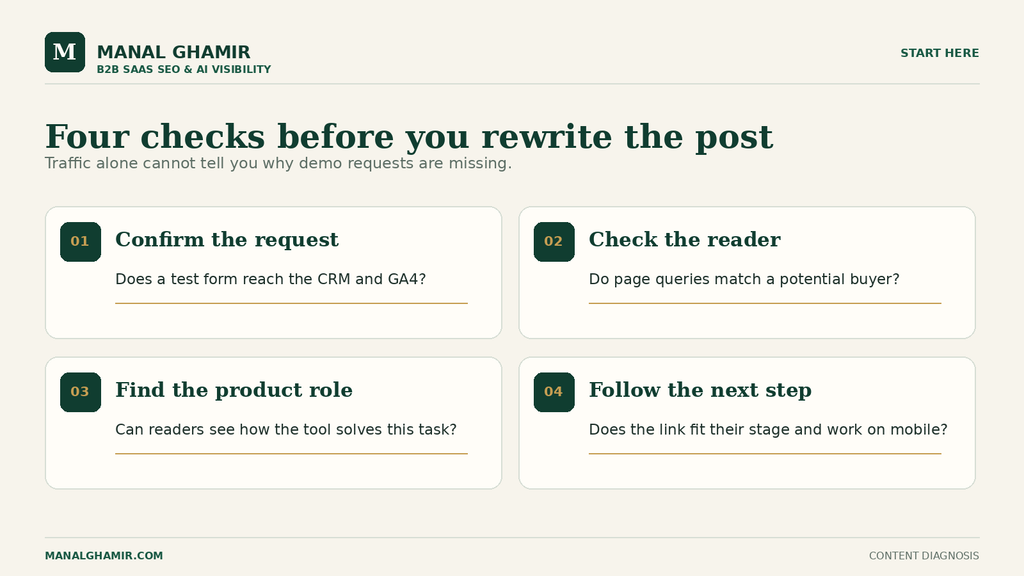
SaaS blog traffic but no leads? First, confirm that demo requests are recorded correctly. Then inspect the search queries and readers behind your busiest posts. A post may attract people who will never buy, explain a relevant problem without showing where the product fits, or ask for a demo before readers are ready. Each cause calls for a different fix. Follow one article from search query to form submission before you rewrite the whole blog.
Table of Contents
Is the traffic from people who might buy the product?
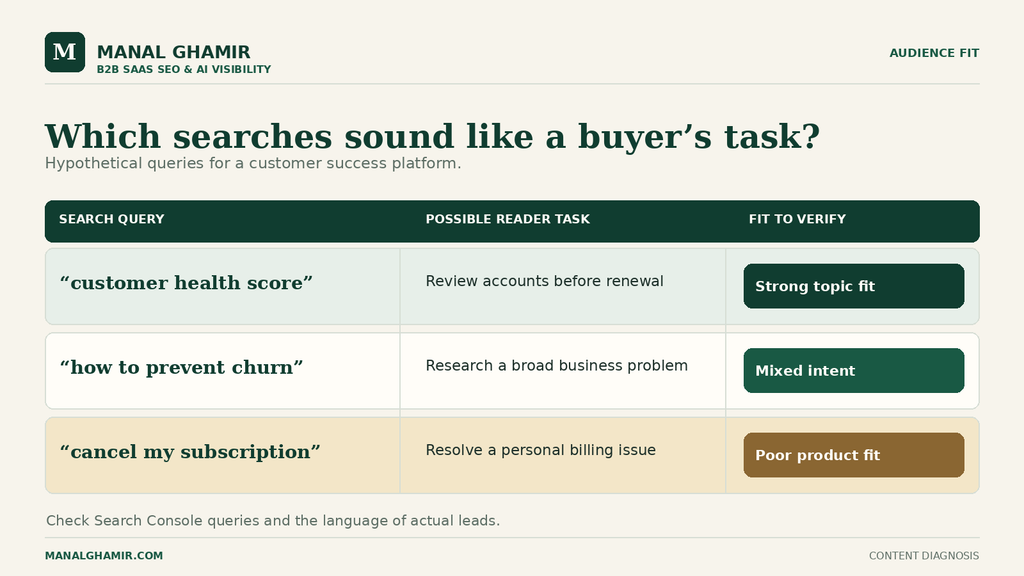
Start with the question that brought visitors in. A reader can find an article useful and still have no reason to consider the software behind it. Search traffic is evidence of demand for an answer, not proof of demand for your product.
In Google Search Console, open the Search results performance report. Filter to a blog page and inspect its queries and countries. Group queries by need: definition, task, comparison, or product decision. Search Console shows Google Search clicks, not each visitor’s job title or lead status.
Compare each query with your ideal customer. Who owns the problem, and is your product built for that workflow? A customer success manager may influence a purchase even if a VP signs it. A query need not contain “software” or “demo” to matter.
SaaS blog traffic but no leads: a buyer-fit example
Hypothetical example, used throughout this article: Northstar is an invented B2B platform for customer success teams. It combines account usage, support signals, renewal dates, and task ownership. Its blog post is called “How to spot renewal risk in SaaS accounts.” There is no real client or performance data behind this example.
The likely reader wants to identify at-risk accounts before renewal. That fits Northstar. But queries about personal subscription refunds would suggest the wrong audience. Queries about account health, usage drops, and customer success renewals would suggest stronger fit.
Search Console does not expose every query. Use it as a clue, then compare with language in lead and customer conversations.
Does the article address a problem the product solves?
A matching topic is only the start. The article must describe a problem the product can help the reader handle, at the level of detail that buyer needs.
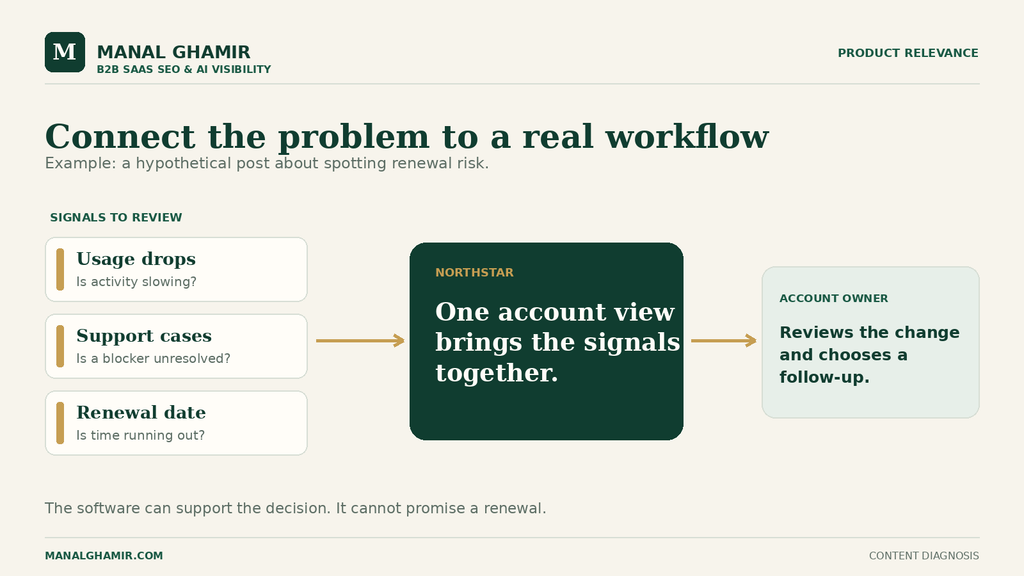
In the hypothetical post, useful advice would flag usage drops, delayed onboarding, unresolved support cases, and renewal dates. It would assign review and a response. “Build stronger relationships” leaves the workflow vague.
Map advice to the product honestly. Northstar can bring signals into one account view and assign a task. It cannot guarantee renewal or replace human judgment. The guidance should still help someone without the software.
Check the gap between the reader’s problem and the article’s explanation:
- Problem: The team notices renewal risk after an account has already gone quiet.
- Manual approach: Review usage, support tickets, meeting notes, and renewal dates in separate tools.
- Product role: Bring those signals together so an owner can review them and choose a response.
- Limit: The team still decides whether the signal matters and what outreach is appropriate.
Show a real workflow or documented capability when possible. Avoid an unproved retention claim. Manal’s separate CRM churn portfolio example illustrates how to explain retention workflows; it is not evidence for Northstar.
Can readers understand how the product helps without a hard sell?
Show the product at the point where it changes the work. If the article never makes that connection, readers must infer it themselves. If every paragraph pitches the product, the practical advice loses its value.
For the Northstar post, place a short product connection after explaining how to check risk signals. Then add a relevant link to the account health workflow or product page. The link should let readers inspect the capability, not force them into a sales call.
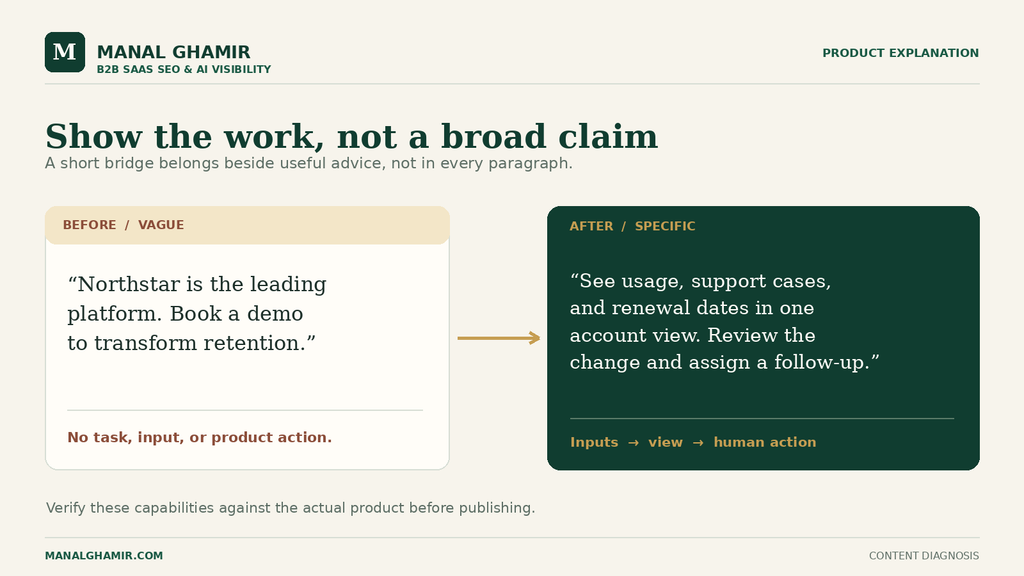
Before, weak product connection:
Northstar is the leading platform for customer success. Book a demo to transform retention.
This could sit under almost any article. It does not explain which part of the renewal-risk task the product helps with, and “leading” would need evidence.
After, useful product connection:
If your team checks usage, support tickets, and renewal dates in separate places, Northstar can show those signals in one account view. An account owner can review the change, assign a follow-up, and decide whether the customer needs help before renewal. See how the account health workflow is set up.
Verify that the real product has these functions and the linked page shows them. A real workflow screen can support the explanation.
If qualified readers already reach the product page, inspect the later path before rewriting this paragraph.
Is the next step appropriate for the reader’s intent?
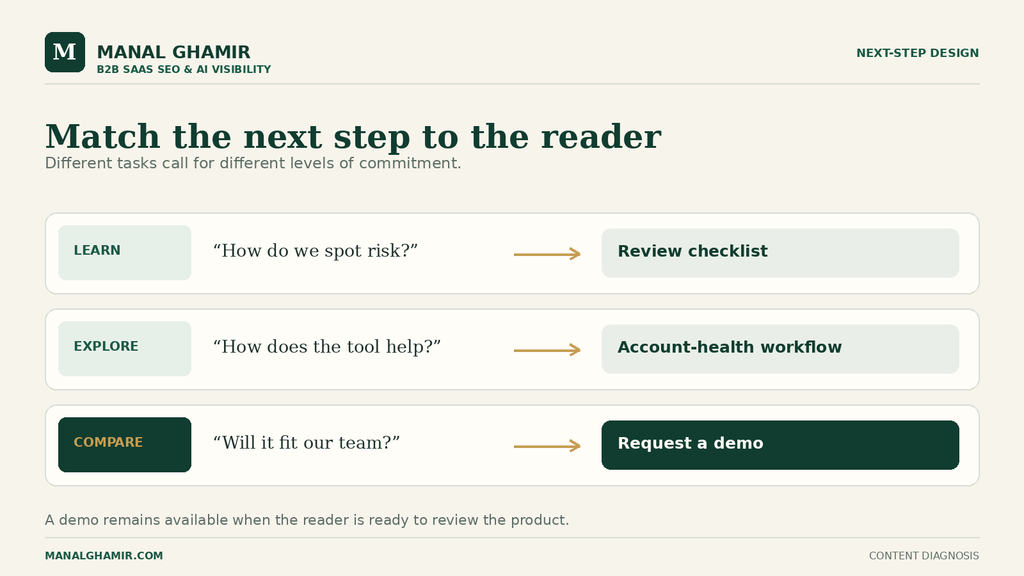
Offer a step that helps the visitor make the next decision. Someone learning to spot renewal risk may want a usable checklist or a view of the workflow. Someone comparing customer success platforms may be ready for a demo.
On the Northstar post, a generic “Book a demo” button at the top and bottom asks the reader to commit before they have seen whether the product fits. The demo link can remain available in navigation. The main in-article step should follow from the task the reader came to do.
Before, mismatched next step:
Ready to stop churn? Book your demo now.
After, stage-matched next step:
Use the renewal-risk review checklist to check one account with your team. If those signals live in separate tools, see Northstar’s account health workflow. You can request a demo from that page when you want to review it with your own process.
The checklist should contain real instructions. If it requires an email, say what readers receive. The workflow page should explain the product and offer a demo.
Test the path on desktop and mobile: article → relevant resource or product page → demo page → successful form. A CTA cannot repair a confusing page or failed form.
A definition post might lead to a guide; a comparison post may offer a demo. Judge each by reader intent. Use the B2B SaaS Blog Post Checklist to review the full page before a refresh.
Are demo requests being tracked correctly?
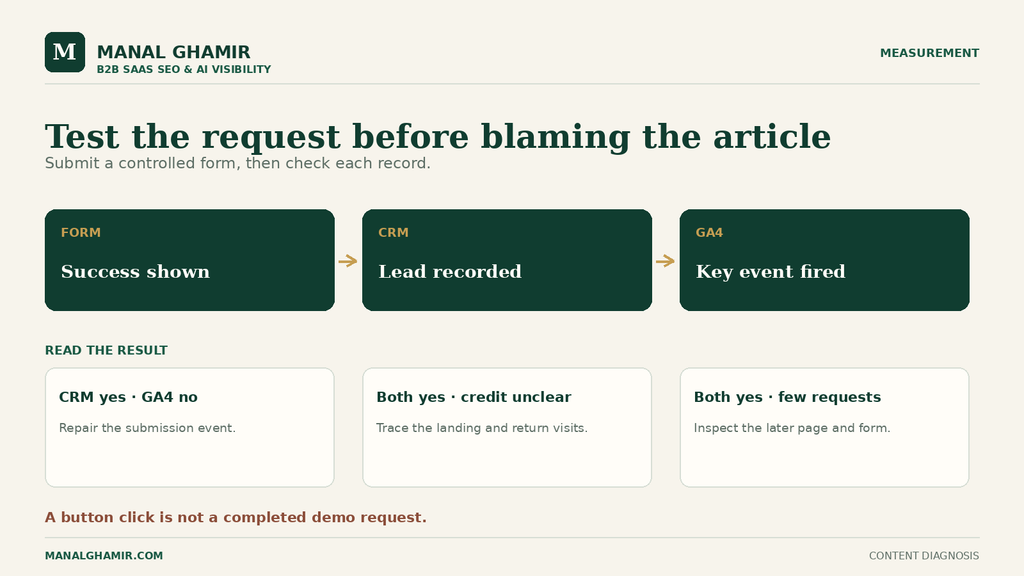
Test the measurement before calling the content a failure. A person might submit a demo form while the report shows no demo requests. Or the request may be recorded under a later direct visit, with no clear link back to the first blog post.
Submit the form using an address your team controls. Confirm it succeeds, reaches the CRM, fires an analytics event, and is marked as an important action. Google Analytics 4 calls that a key event. Its lead form guide explains how to track the specific form. A button click is not a completed request.
In GA4, the Landing page report identifies the first page of a visit. Check article landings, product-page clicks, demo-page visits, and completed requests. A click signals interest, not a qualified lead.
Attribution means deciding which visits get credit. A reader may find the blog through Google, return directly, then request a demo. An assisted conversion means the earlier article helped along that path. GA4’s key event attribution paths show channel touchpoints, but page-level and CRM links need additional setup and may remain incomplete. Compare reports with the CRM.
For Northstar, suppose a test demo form reaches the CRM but no key event appears. Fix tracking first. Suppose the event works and readers click from the article to the workflow page but rarely reach the demo page. Inspect that page and its next step. Suppose queries show a poor audience fit. Revise the topic and examples or deprioritize the post. These are different diagnoses from the same headline symptom.
How do you decide which article to fix first?
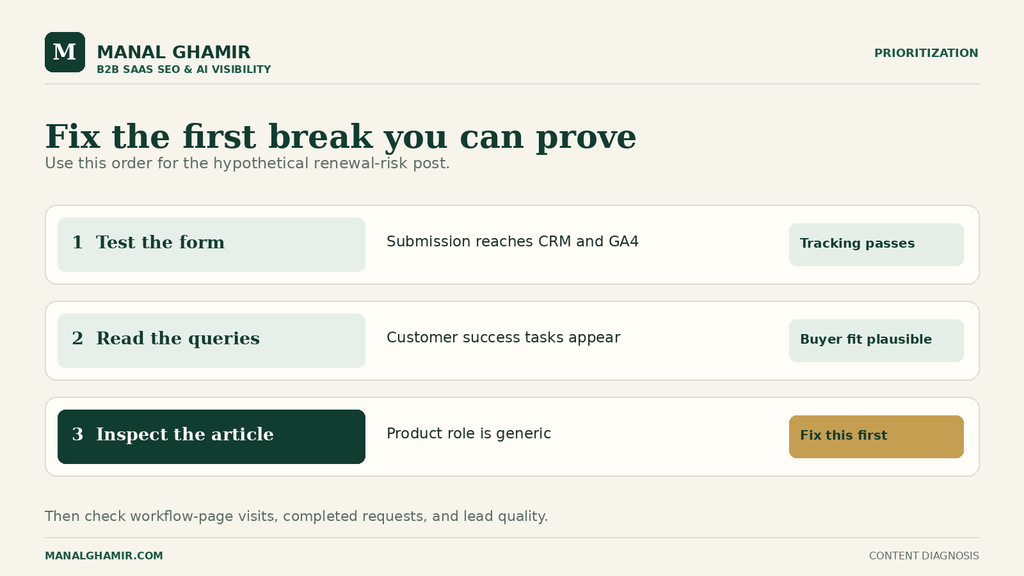
Choose the page with a plausible buyer, a visible break, and a fix you can verify. The most visited post is not always the best candidate. A smaller article tied closely to a buying problem may offer a clearer path to improve.
Use this table to narrow the cause. SaaS blog traffic but no leads is an observation, not a verdict about the content.
| Symptom | Evidence to check | Likely explanation | First action |
|---|---|---|---|
| Many visits, few demos | Page queries, buyer fit, product-page clicks, form test | Could be broad intent, weak product connection, poor CTA fit, or broken tracking | Verify the demo event, then inspect queries and path |
| Relevant queries, little product-page movement | Article text, link position, link wording, click events | Readers may not see how the product helps, or the link may be easy to miss | Add one specific, verified workflow connection |
| Product-page visits, few demo-page visits | Product page, mobile view, CTA and navigation | The product page may leave a decision unanswered | Clarify that page’s use case and next step |
| Form completions in CRM, none in analytics | Test submission, event conditions, confirmation behavior | A measurement problem is likely | Repair and retest the submission event |
| Demos logged, poor sales fit | Query themes, lead notes, firmographic details | Topic or promise may attract the wrong teams | Refine audience framing before increasing promotion |
List pages with relevant search traffic. Record query themes, reader, product connection, next step, and the break you can verify. Change one part of the path at a time.
For Northstar, assume the queries indicate customer success teams, the form test passes, and the article explains risk signals well. The weak point is the vague product line and its immediate demo demand. The first fix is the specific workflow connection and stage-matched link, treated as one connected path from advice to product exploration. It is a better first move than rewriting the ranking topic, because the topic appears to fit and the article already answers the task.
Afterward, verify the link, product claim, and tracking. Watch workflow-page visits, later requests, and lead quality. Give the page enough time and traffic for a pattern. If that path improves but demos do not, inspect the product and demo pages. A click alone is not a win.
What does a completed diagnosis look like?
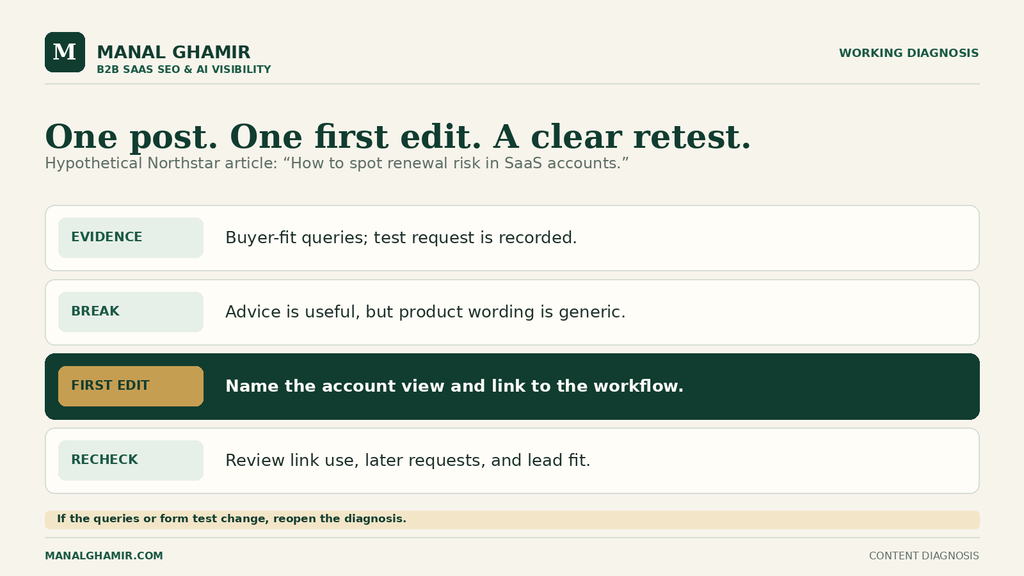
It names the evidence, the uncertainty, and one next action. “Our blog does not convert” is too broad to guide an edit. A useful diagnosis can fit on one page.
Here is the completed note for the hypothetical Northstar article, assuming the checks above produce the stated findings:
- Page and reader: “How to spot renewal risk in SaaS accounts” attracts queries about customer success renewal signals. That aligns with a team that could use the product. Check lead conversations to confirm the audience.
- Problem and product: The article teaches how to identify risk but gives only a generic product claim. It does not show how Northstar brings the signals together.
- Next step: The in-article CTA jumps straight to a demo. A real account health workflow page is a better main step; the demo remains available there.
- Measurement: A controlled test confirms the form request appears in the CRM and the specific GA4 key event. The team checks landing pages and later paths without treating every earlier blog visit as a direct demo lead.
- First fix: Replace the generic product paragraph and CTA with the verified workflow explanation and link. Check link use, product-page movement, completed requests, and lead quality after publishing.
If queries instead show personal refunds, audience fit comes first. If the form test fails, tracking comes first. Name the evidence that could change your conclusion.
FAQ
Why is my SaaS blog getting traffic but no signups or demos?
Your traffic may come from people outside your buyer group, or the article may not explain how the product helps and what to do next. A broken form or missing analytics event can also hide real requests. Check the search queries, the path to the demo form, and a test submission before choosing a cause.
Should every SaaS blog post ask readers to book a demo?
No. The main next step should fit why the reader came to the article. Someone comparing products may be ready for a demo. Someone learning a process may need a practical checklist or product workflow first. Keep a demo route available for readers who are ready.
How can I tell which blog post helped generate a demo?
Track a completed demo form as a specific GA4 key event. Then review the visitor’s first landing page and later path, and connect the request to your CRM when possible. An article may help a reader who returns to request a demo later, so a report focused only on the final visit can miss that earlier role.
Is high blog traffic with few leads always bad?
No. Some articles educate potential buyers, build trust, or help existing customers. Judge each post by its intended job and the audience it attracts. If a post was meant to bring qualified inquiries, inspect its search queries and next-step path before deciding what to change.
What should I fix first if several posts have the same problem?
First, test that demo submissions reach your CRM and are recorded correctly. Then choose a post with relevant buyer queries and one clear break between its advice, product explanation, and next step. Make that fix and check the path again.
Know which article needs a closer look?
If a SaaS blog post gets read but does not lead anywhere useful, send me the URL. I’ll review its reader fit, product connection, and next step through my SaaS Content Audit service.
Send the article you want reviewed